per month: a concept became the foundation of a new contract for Gazpromneft Transport & Logistics
I design enterprise products for complex operations and measurable business outcomes.
15+ years in Product Design across industry, logistics, EdTech, and SaaS. I lead products from research and UX architecture through launch, metrics, and design leadership.








* Many examples are shown at the concept stage. Production designs are protected by NDA.

Enterprise UX
Industrial Systems · B2B · SaaS
15+ years
Complex product design, design leadership, and enterprise solution launches.
Business impact
More than interfaces.
More than interfaces.
Numbers that matter to the business.
reduction in equipment downtime in an industrial case
faster operator response to deviations
ROI from digital process automation
Selected work
Featured projects
These cases show how design improves operational metrics, speeds up decisions, and helps launch new lines of business.
Industrial / B2E / Enterprise
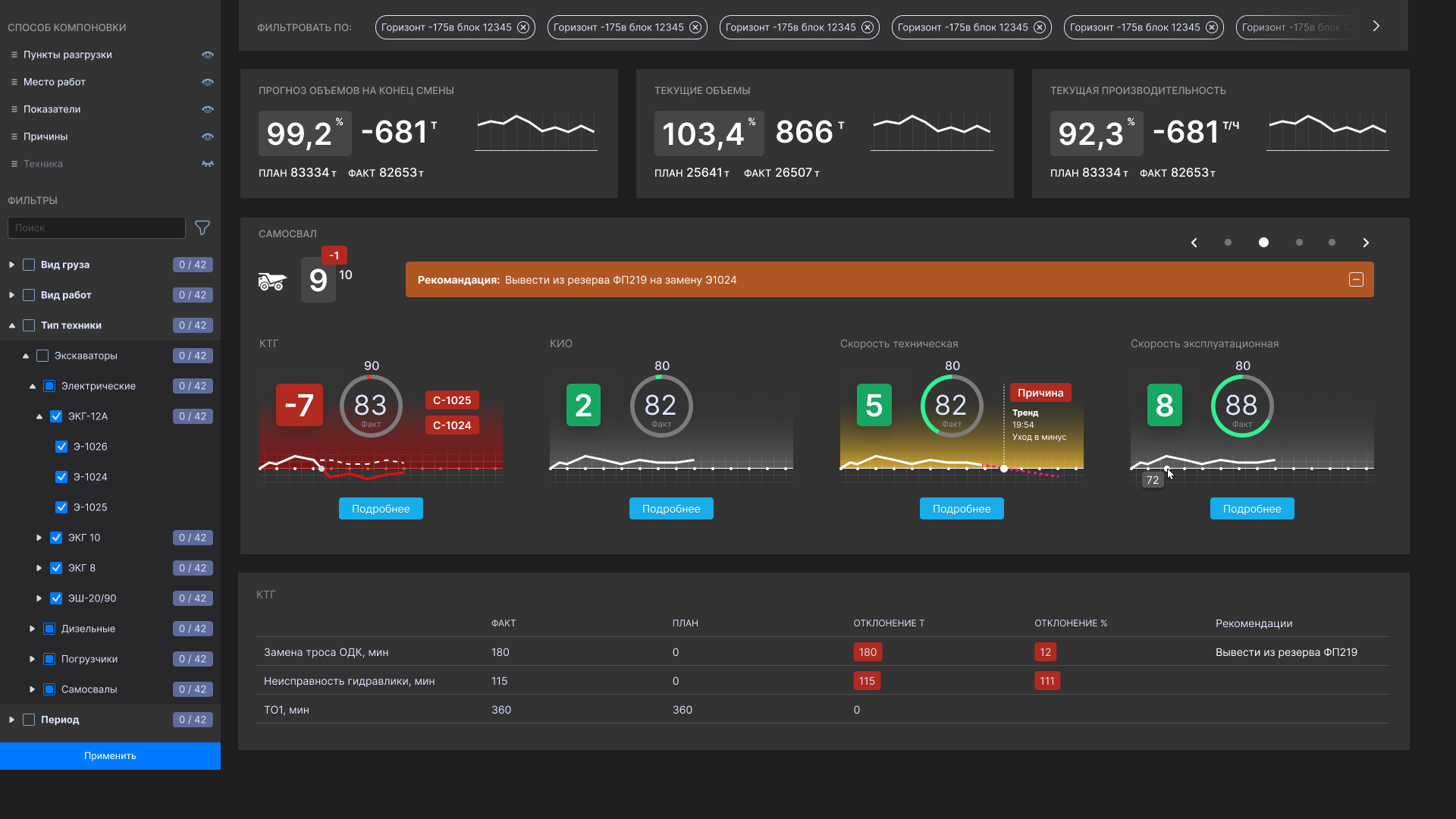
Digital platform for mining operations management
An ecosystem for dispatchers, managers, and heavy-equipment operators: planning, monitoring, shift tasks, deviations, and decision support.
35%less downtime
×7response speed
60%ROI
Starting point
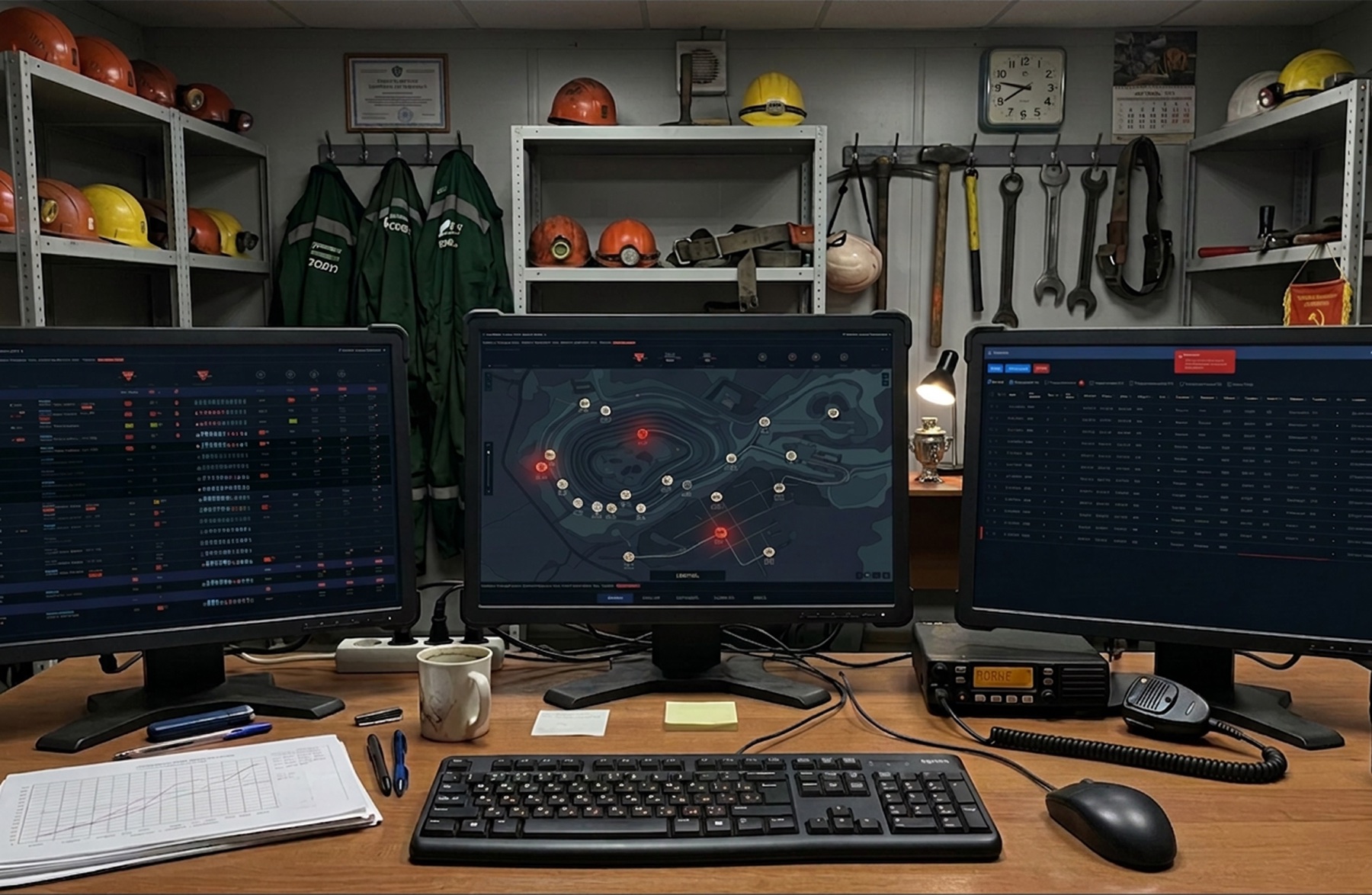
At the client’s site, operations still relied heavily on paper documents and verbal communication. Work orders were issued on paper, trips were recorded with mechanical counters, and operator requests were relayed over radio through assistants. Information about failures and incidents reached dispatchers with a delay, sometimes only at the end of the working day.
What the system changed
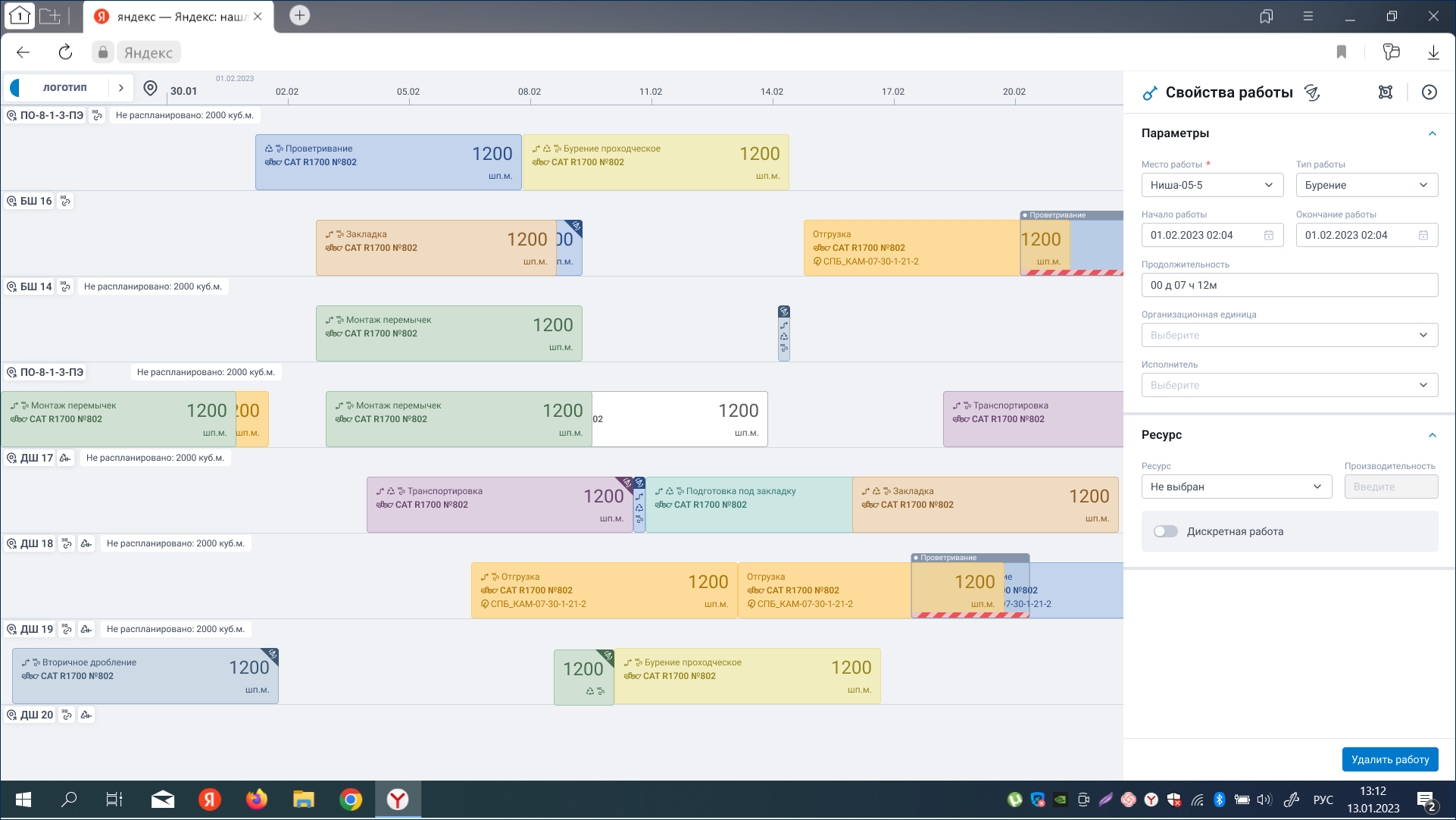
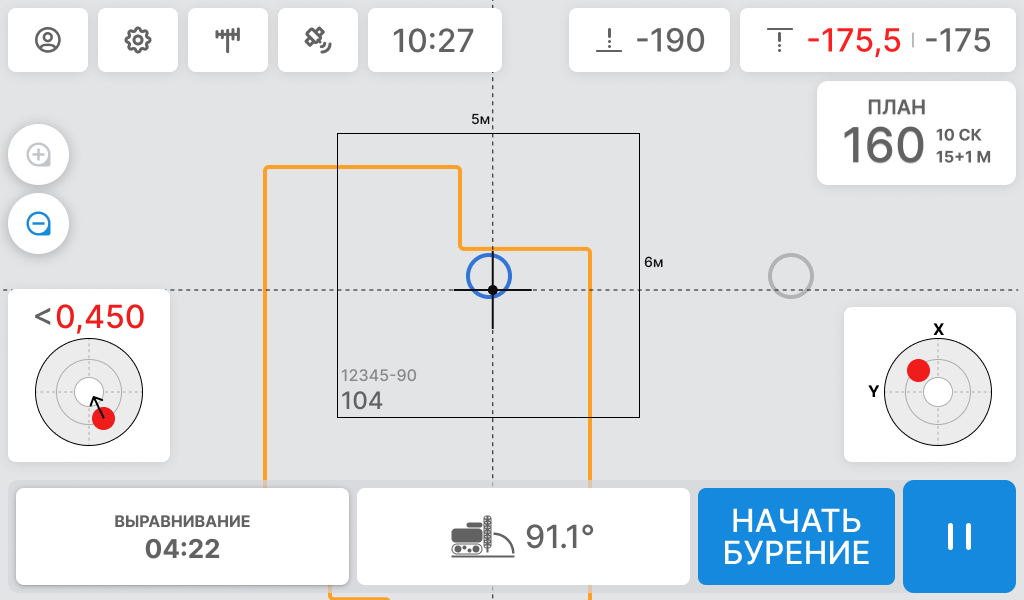
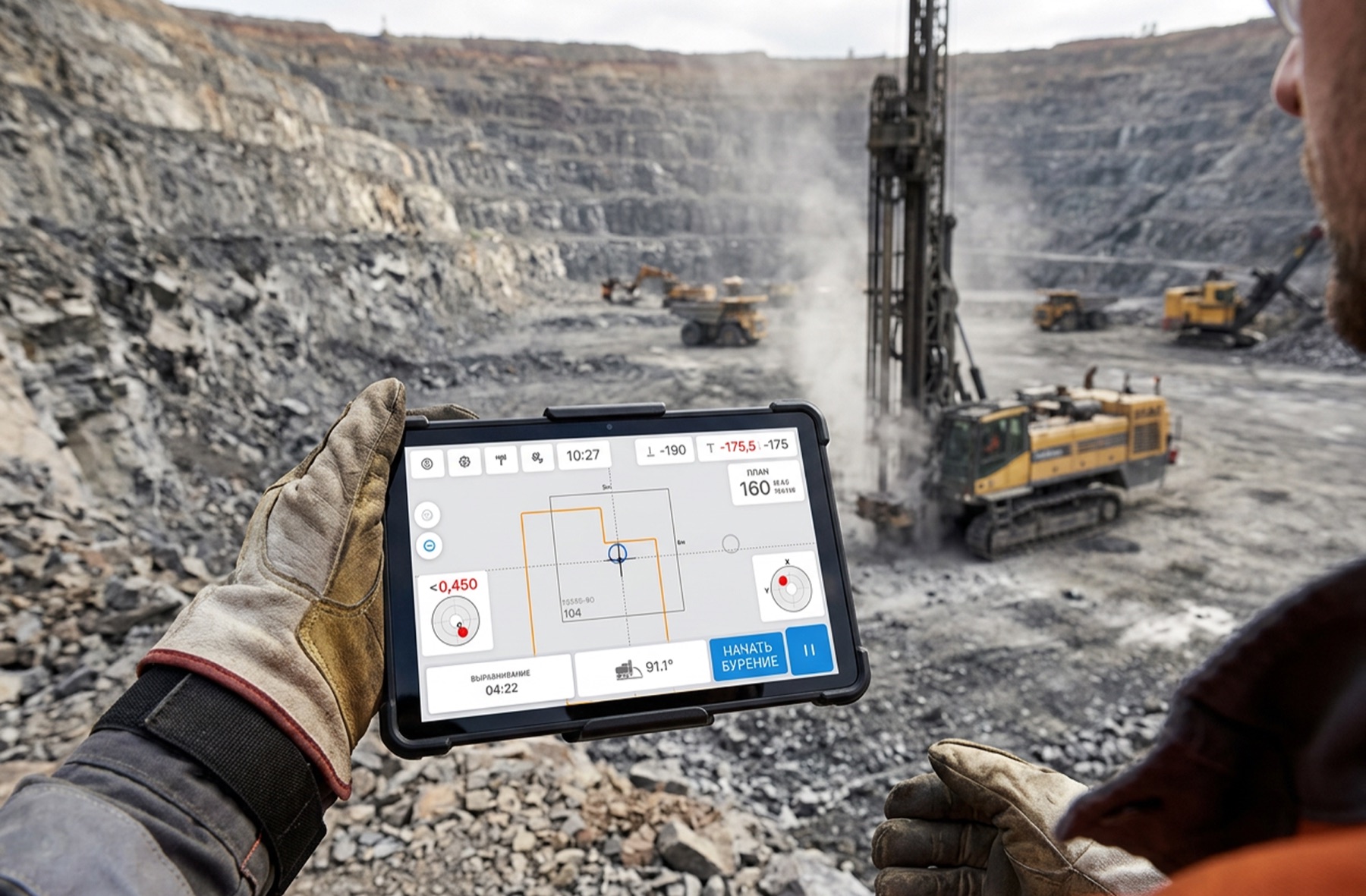
The centralised system combined data from sensors and onboard devices, making it possible to monitor the site in real time. Dispatchers could respond to events faster, reassign tasks, and reduce equipment downtime. The system also supported drilling plans and advance allocation of equipment for loading and ore haulage. The solution was designed for two operating sites and covered the dispatch centre, analytics, a web platform, and onboard operator workstations.
My contribution and field research
I was the sole Product Designer on the product and owned the UX/UI of the entire system within the development team. I worked with requirements from the Product Owner, stakeholders, and technical lead. I conducted field research: studied operator workflows, observed equipment in real mining conditions, and personally took part in borehole measurements. I used observations and interviews to analyse user needs, build CJMs, define the UX architecture, and test solutions through prototypes.
Design constraints
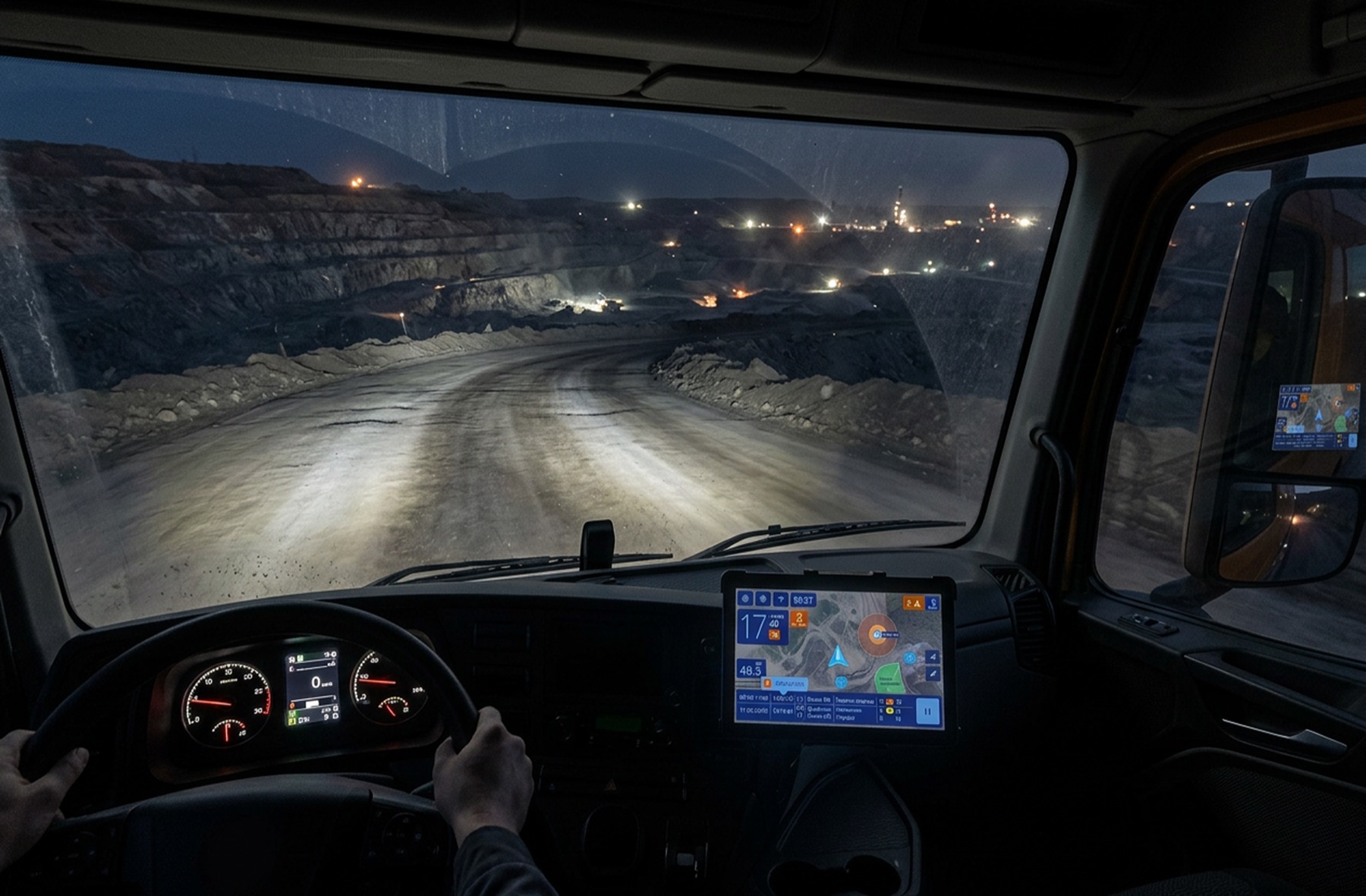
Designing for mining meant accounting for real operating conditions. Field research often revealed a gap between what operators needed and what management believed should be shown inside the vehicle. These findings helped determine what information to display, how to prioritise it, and how it should appear in the interface.
Evaluation scenarios
We selected several frequent scenarios to evaluate the system: a blocked road, an urgent task change, a breakdown and evacuation request, and receiving and signing a route sheet. Before automation, many of these processes required physical presence. An employee walked to a dispatch point to collect a new assignment; after a breakdown, they might have to arrange transport, travel to the maintenance department, and explain the problem verbally.
Process automation
After implementation, some events were captured and transmitted automatically. Information requiring clarification or confirmation appeared on the operator’s onboard device or the dispatcher’s workstation. This reduced manual actions and communication handoffs. Rescheduling, assigning reserve equipment, and notifying response teams became faster, while event data was retained in management reports.
Measured outcome
Field measurements showed a substantial reduction in scenario completion time. Receiving a new assignment, for example, took 2–3 minutes instead of 30, making the process 10–15 times faster. The project also created a shared operational database that could support reporting, work planning, and assessment of future risks. The solution advanced to industrial field testing.
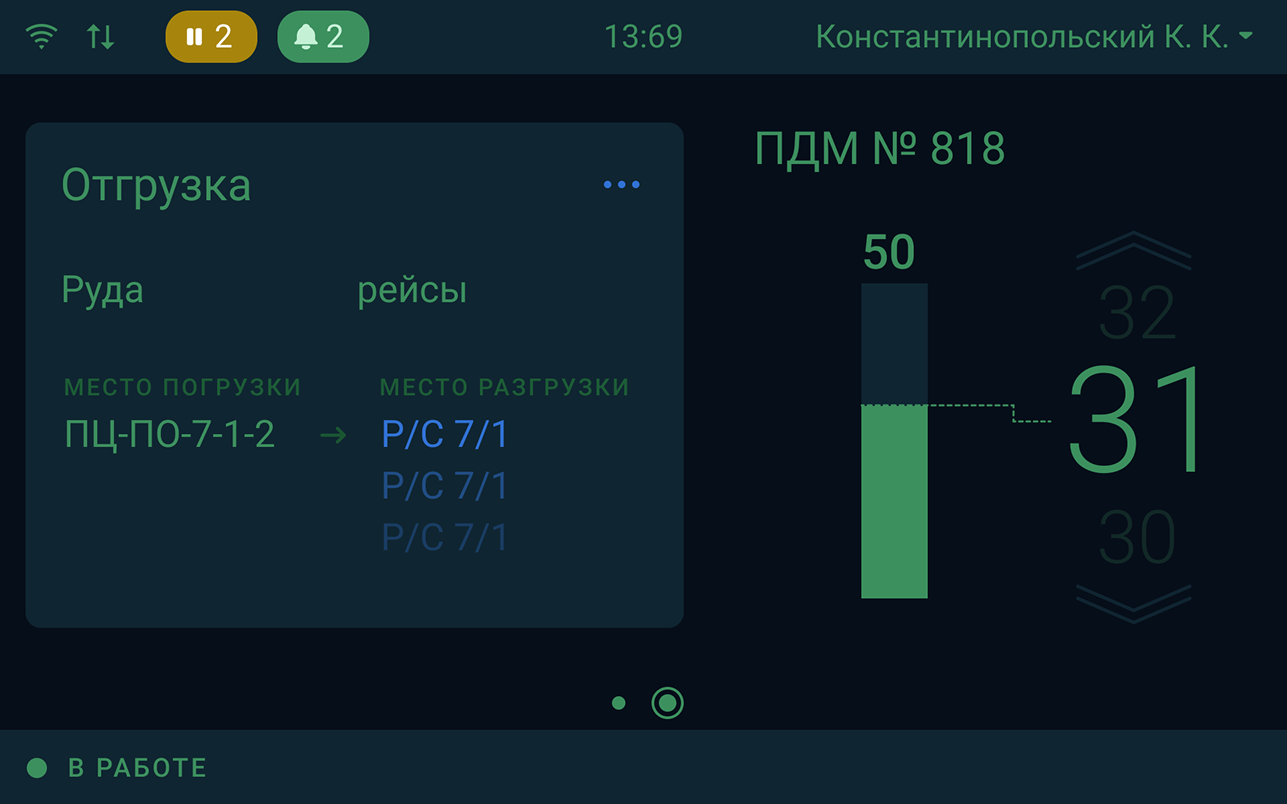
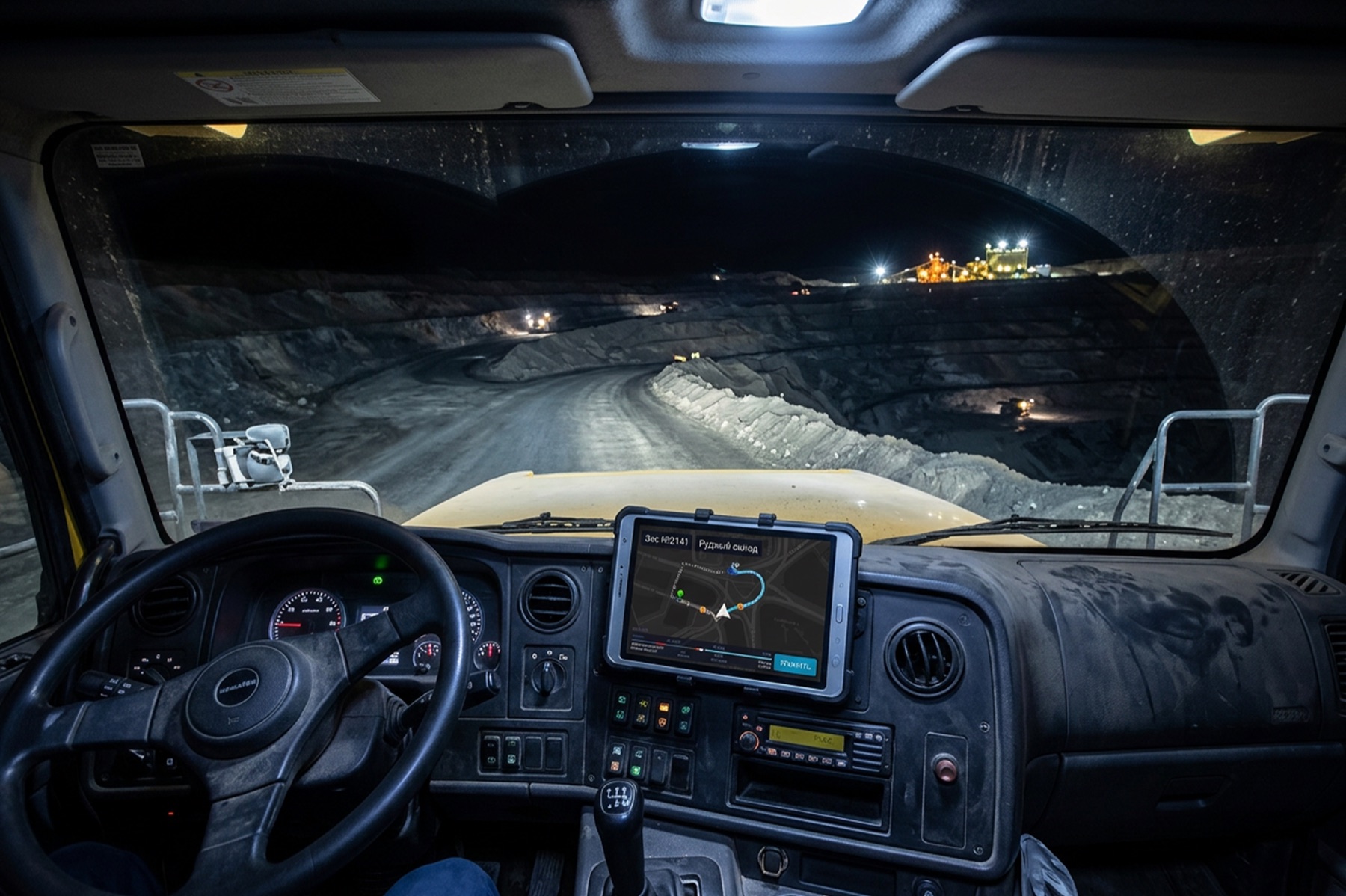
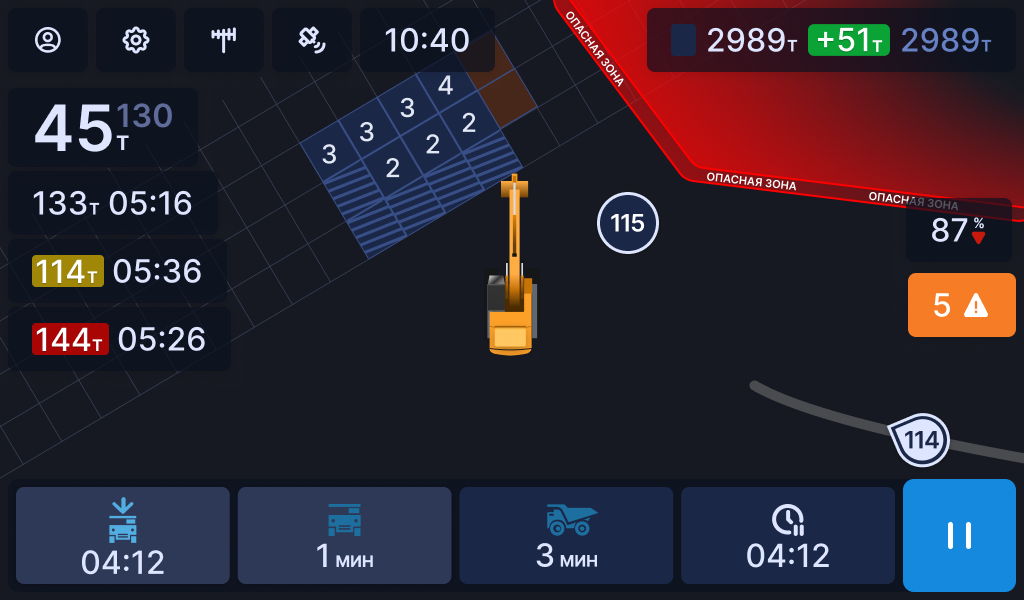
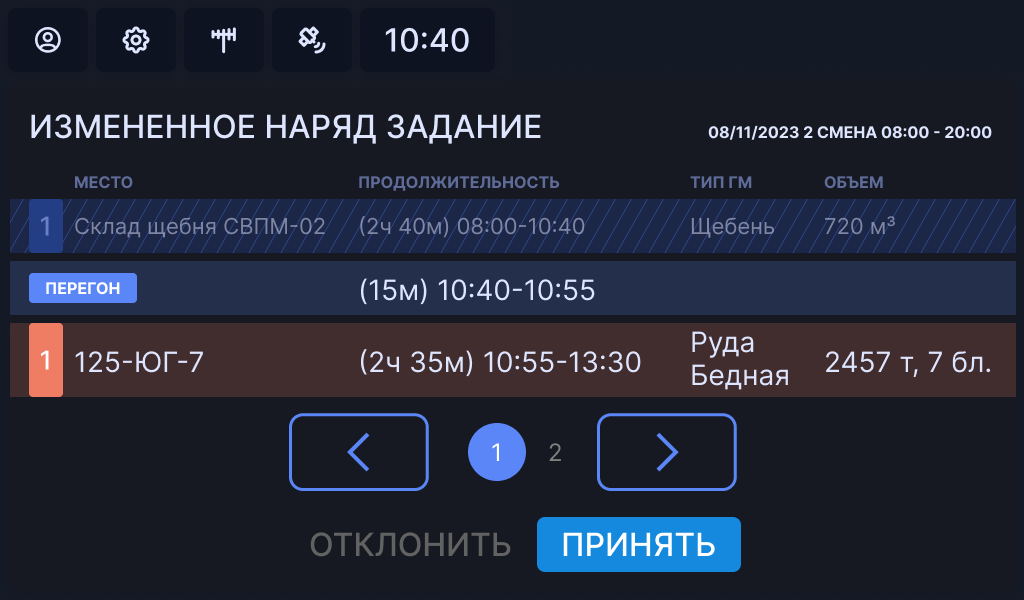
Operator onboard device
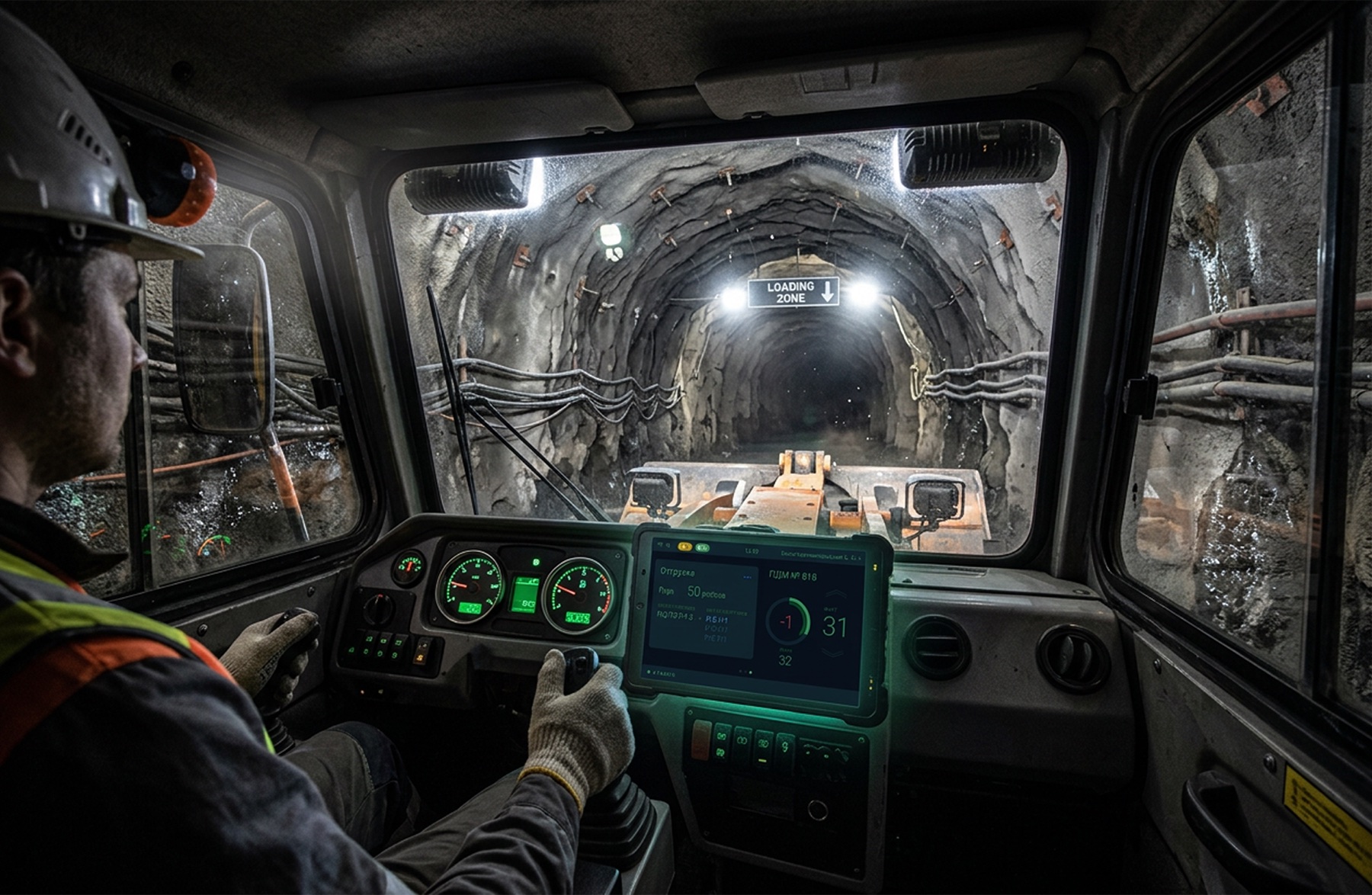
A working interface inside the vehicle cab
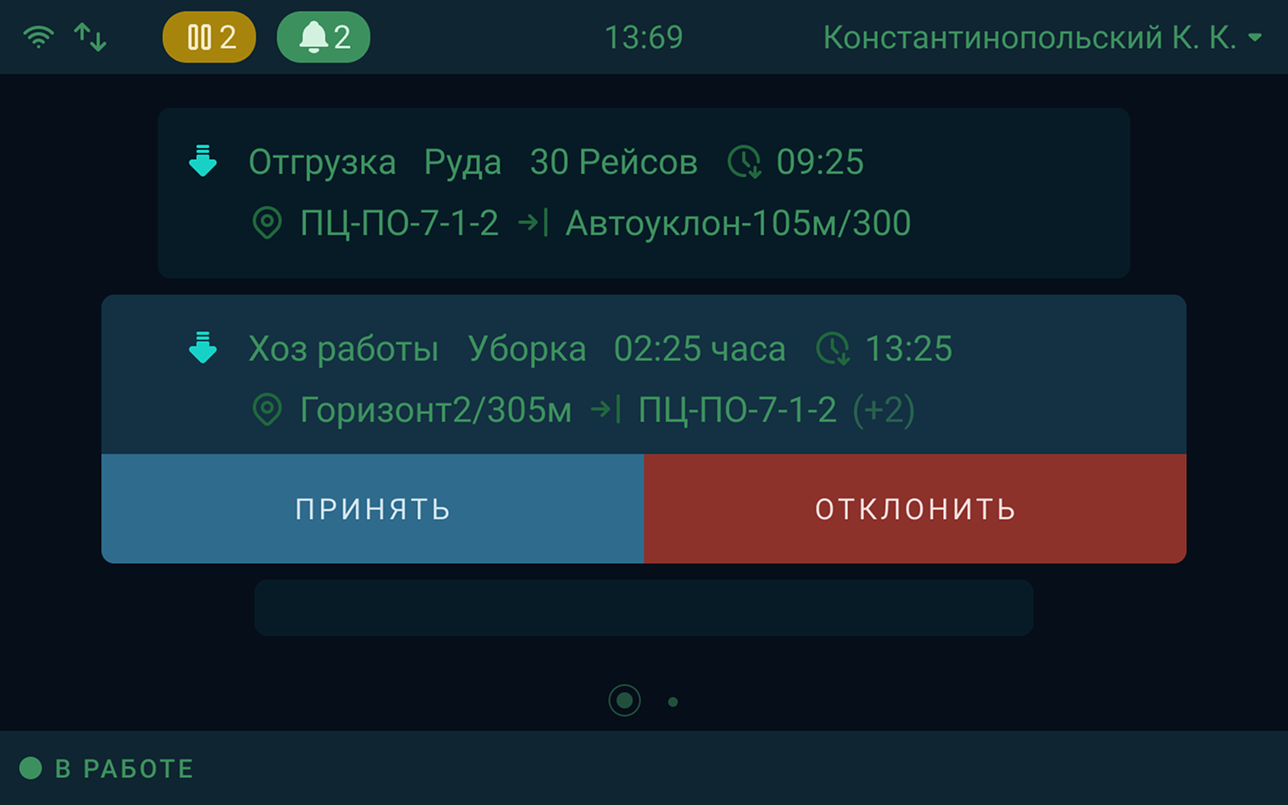
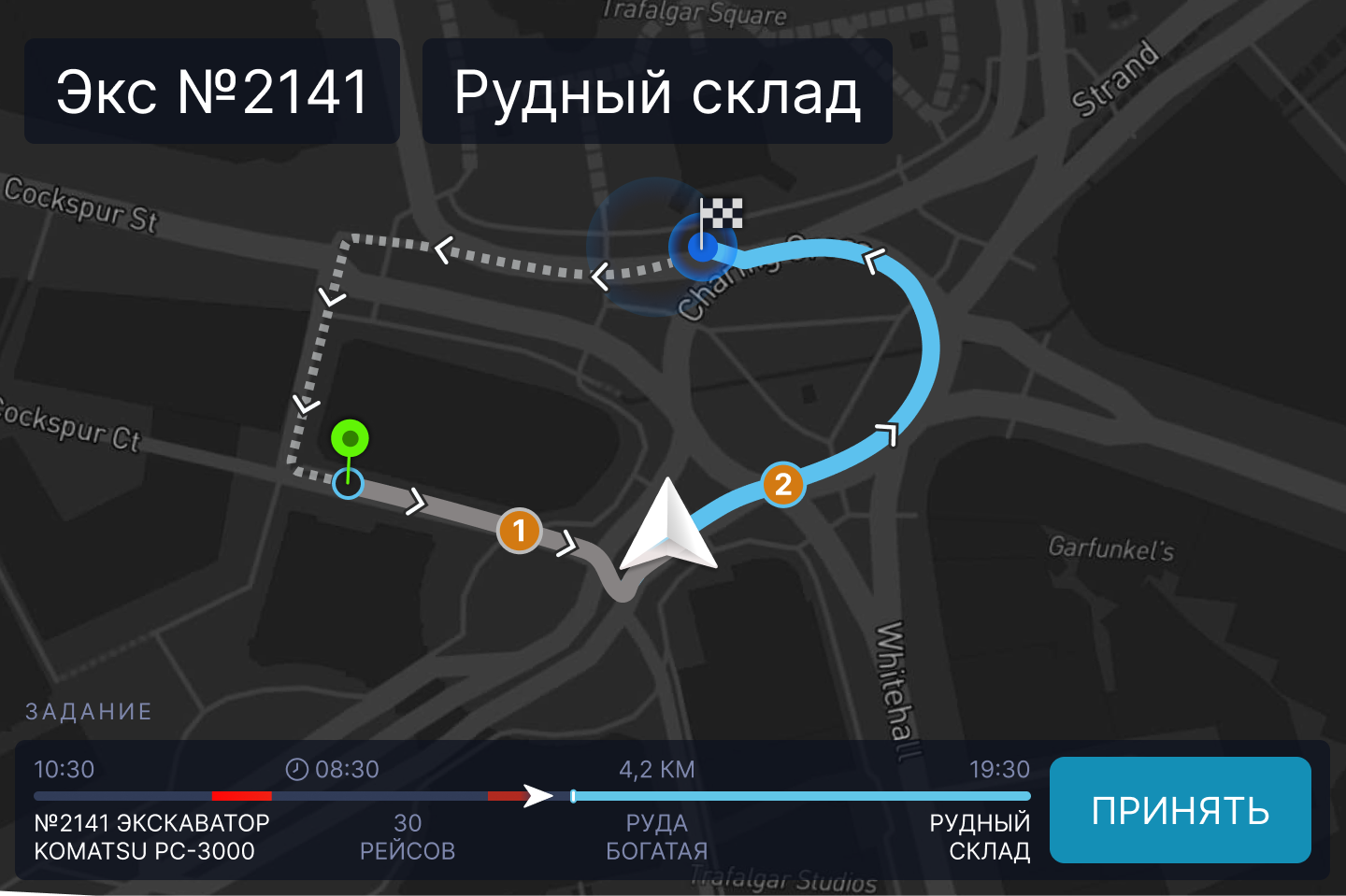
The onboard application was one of several products in the mining automation ecosystem. Operators used it to receive assignments, track planned and completed trips, see loading and unloading locations, and send their current work status back to dispatch.


Solution example
Finding a work location without a keyboard
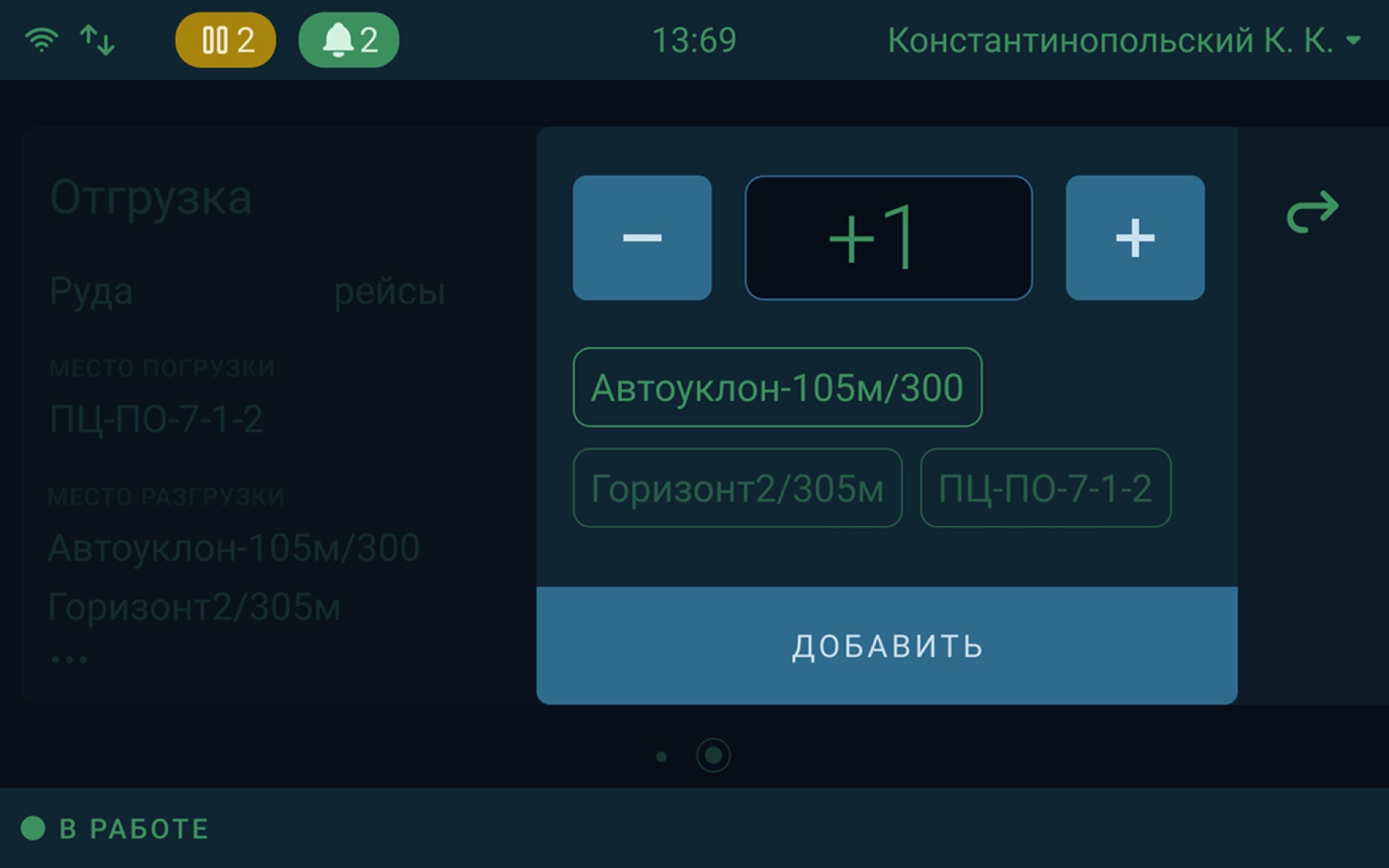
Typing long location names is inconvenient inside a vehicle and while wearing gloves. The search flow therefore narrows the available options step by step, using only the characters that actually occur in work-location names.
Step 01
Show only the characters in use
Analysis of the data structure showed that location names use only 20–30% of the alphabet. The operator selects the first letter from a limited set and immediately sees frequently used locations.

Step 02
Narrow the list after the first choice
Once the first letter is selected, the interface keeps only valid second characters and matching numbers. Most irrelevant options disappear at this stage.

Step 03
Refine and select the location
If the required location is not yet visible, the operator adds a number. The system leaves a minimal set of matches that can be selected without typing on a keyboard.

Business challenge
Unify mining, transportation, and shift-task management in a single system for two operating sites.
Outcome
- The platform covered the dispatch center, analytics, and operator workstations.
- Key workflows moved from manual control into a digital environment.
- The solution advanced to industrial field testing.
My contribution
- Sole Product Designer on the product.
- Field research, CJM, UX architecture, and prototypes.
- A web platform for dispatchers and mobile interfaces for heavy equipment.
Product interfaces
Dashboards · Tablets · Planning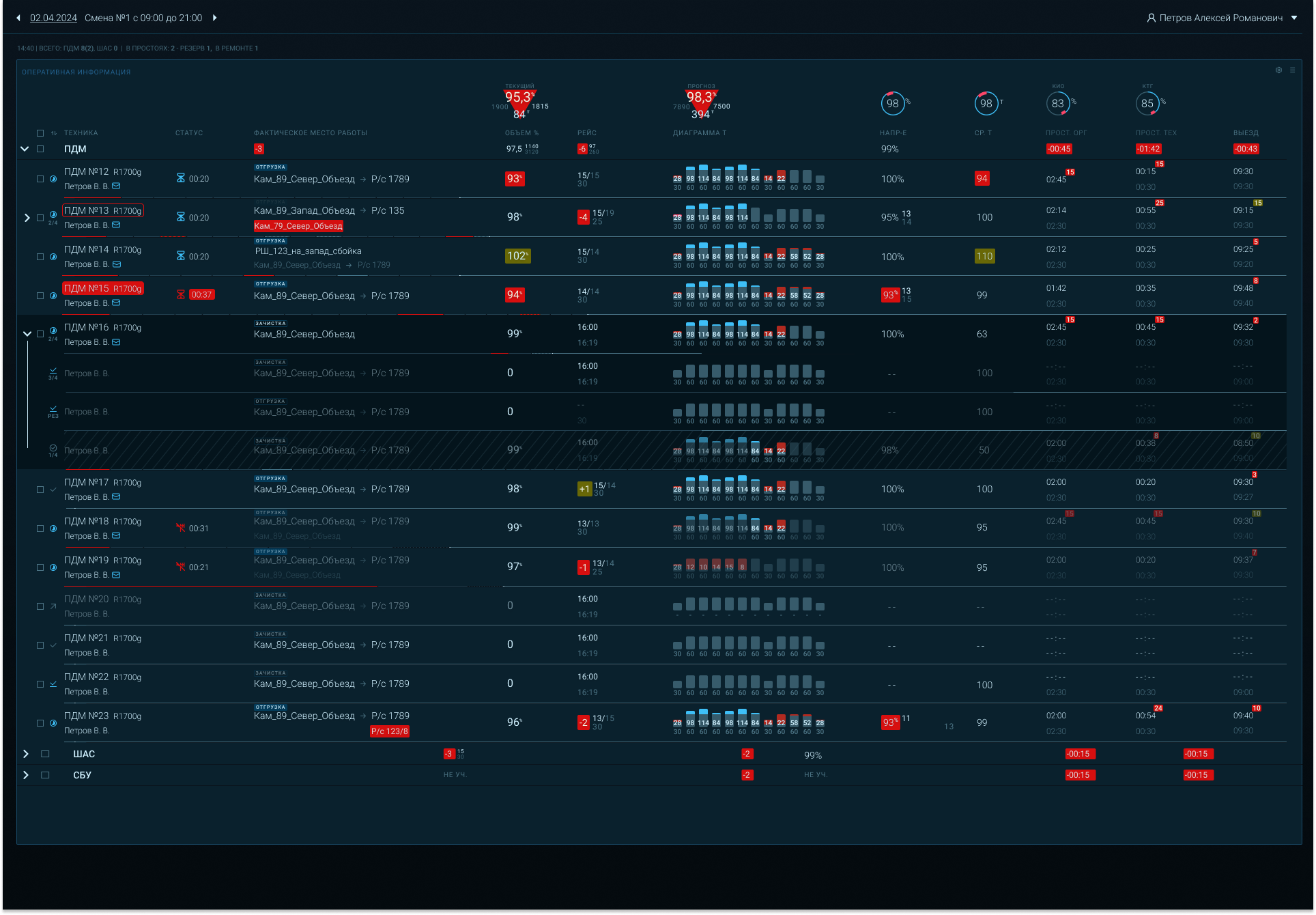

EdTech / Enterprise SaaS
Springer Nature / Macmillan Education — educational content management platform
A workspace for authors, editors, and production teams creating and approving educational content.
−45%content checks
×3review speed
−30%content errors
Product context
Macmillan Education is the educational division of Springer Nature, producing learning materials and digital tools for education. The company uses its own software, developed by an international team, to prepare and manage content.
Challenge
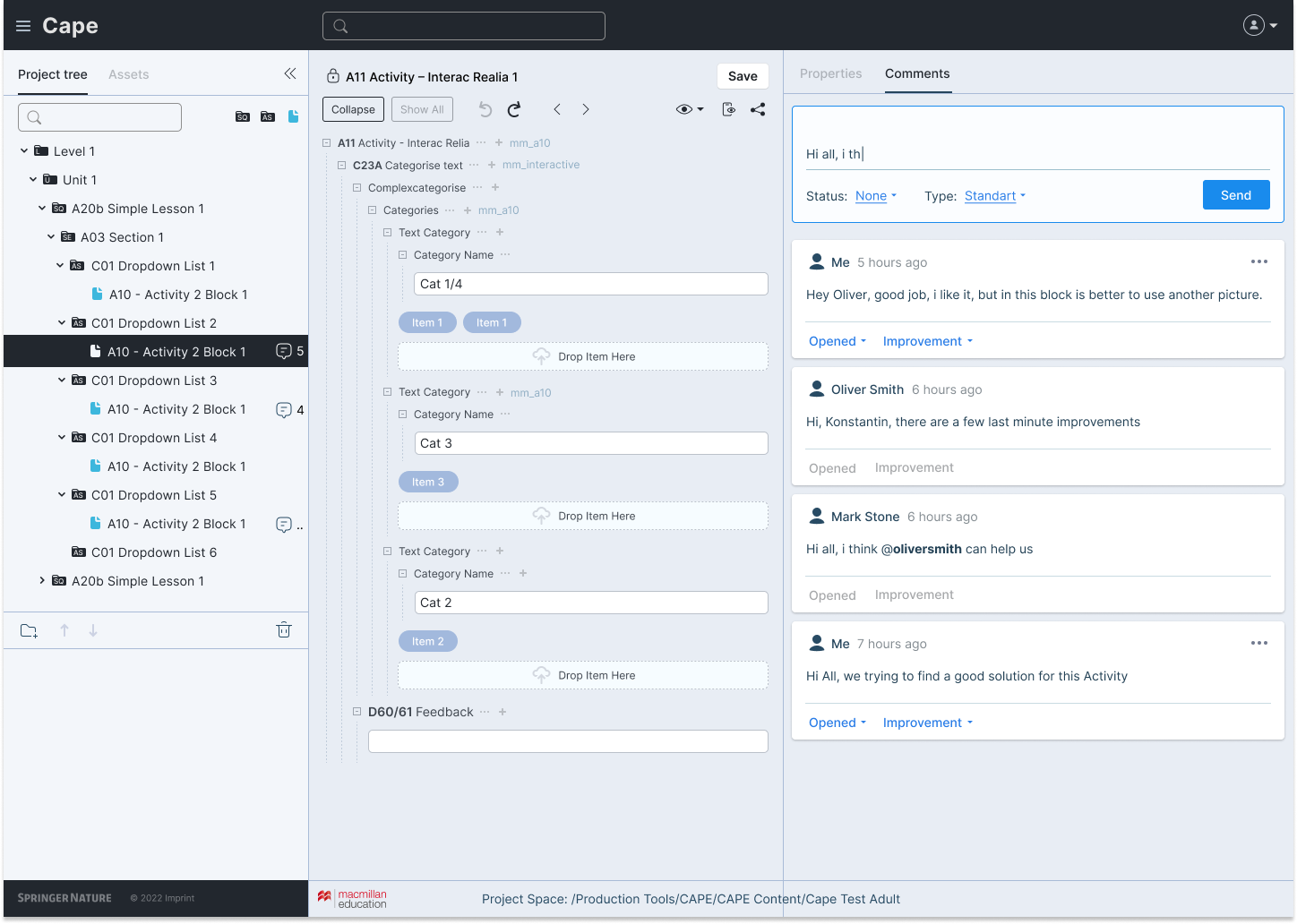
Authors regularly encountered difficulties while working in the system and contacted support for help. To address the causes of these requests, the team brought me in as the sole Product Designer for the product area. My role was to rethink user workflows, interaction mechanics, and the product’s visual language.
Research
I interviewed stakeholders, Product Owners, developers, and users to identify the main problems and prioritise improvements. Tools for working with large volumes of text and nested data structures required particular attention, along with catalogue navigation, iconography, and comment forms. Interviews, demos, and solution reviews with the international team were conducted in English.
System redesign
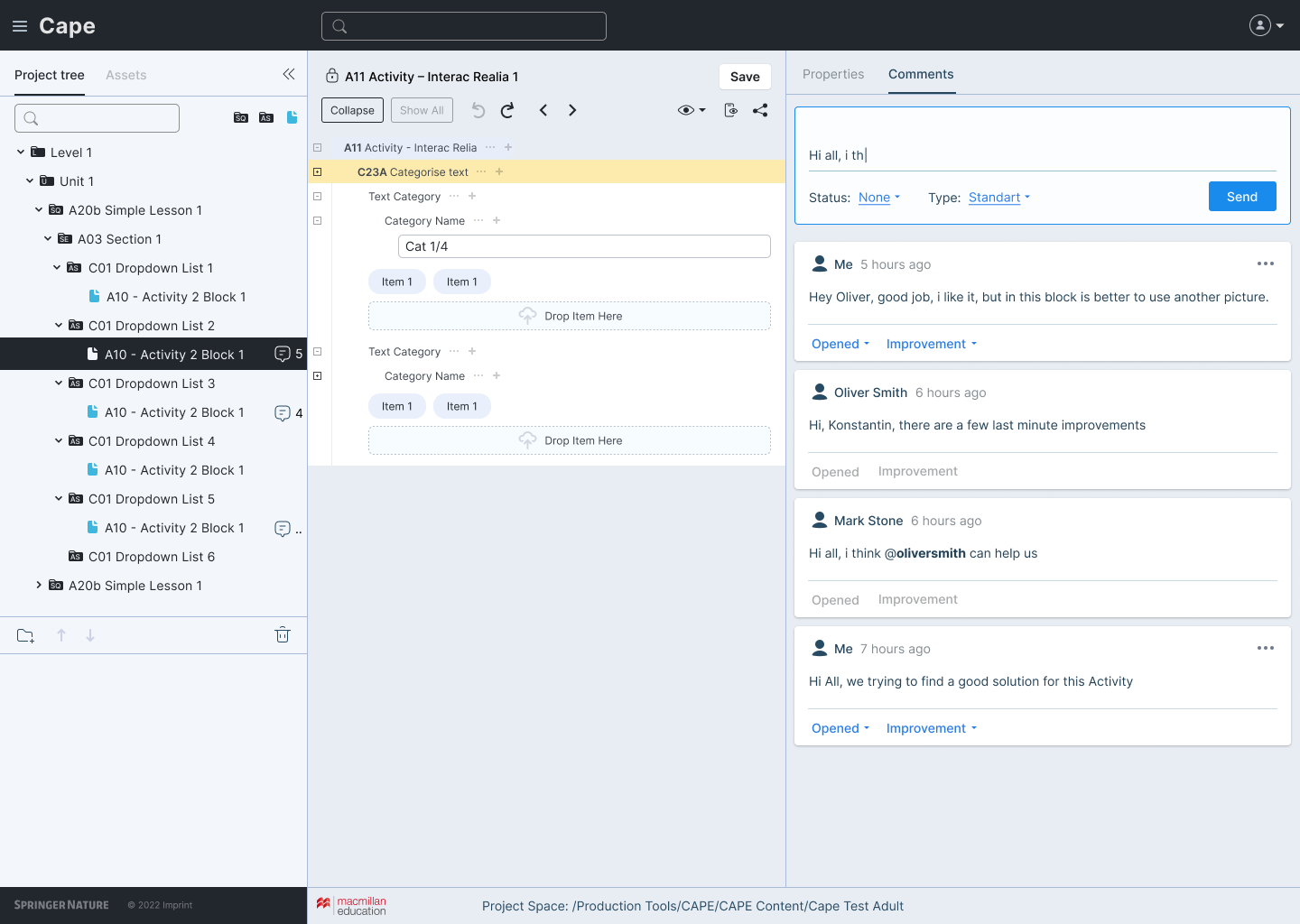
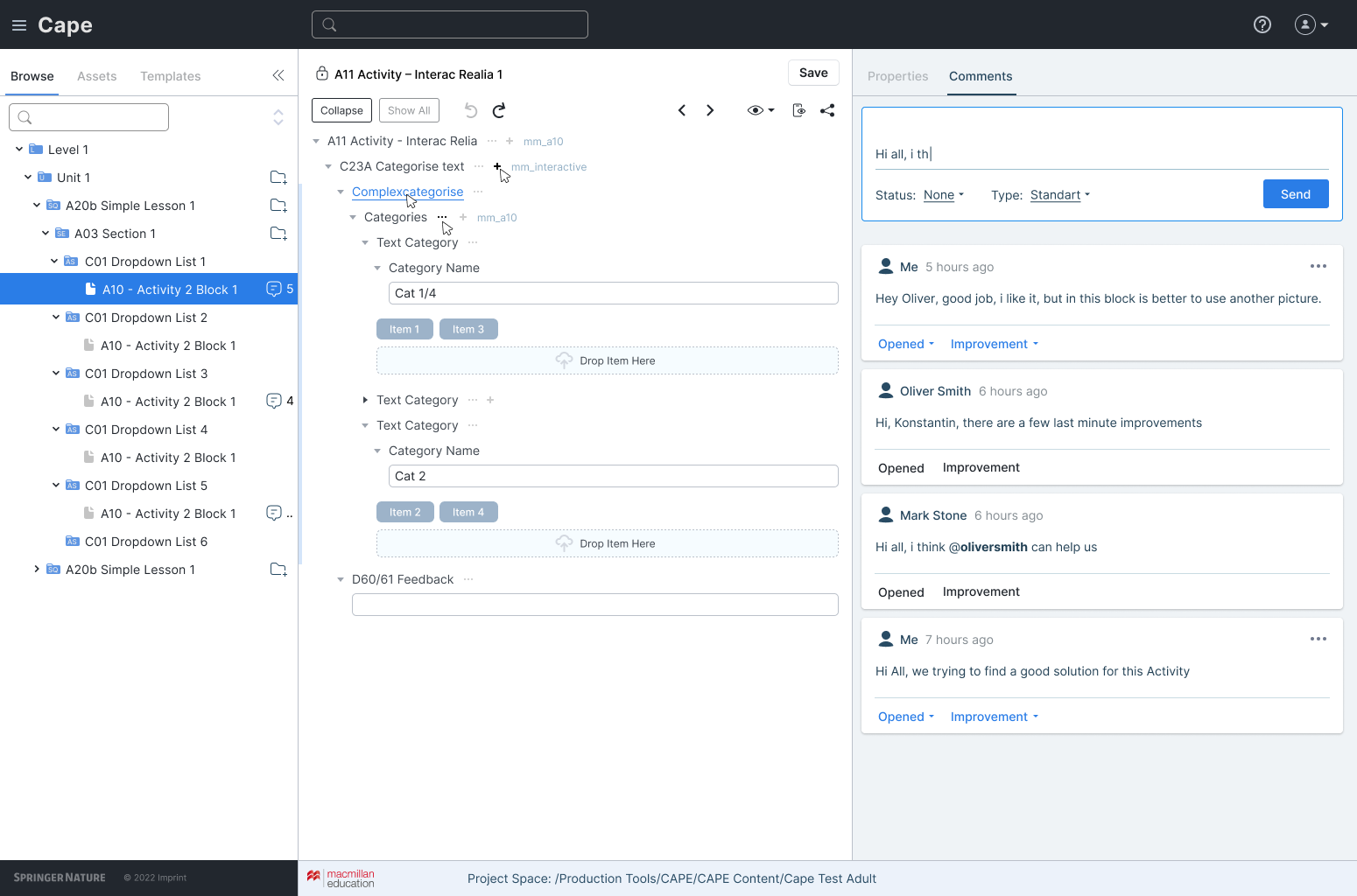
Alongside resolving current product issues, I designed an updated interface for the entire system. I removed outdated and inconsistent elements, reduced unnecessary actions, and proposed automation for repetitive operations. I redesigned content creation, editing, review, and approval workflows, including the activity tree, comments, roles, and material states. The goal was to make content preparation simpler and tool behaviour more understandable and predictable.
Outcome
The work simplified catalogue navigation and made its structure easier to understand, improved content workflows, and introduced new editing capabilities. Comments and statuses became clearer for participants in the distributed process. Users received tools that helped them complete everyday learning-material preparation tasks more quickly.
Measuring the impact
During the initial research, we recorded completion times for key tasks. Comparing them with results after the redesign showed that content preparation had become faster. At the same time, the system became more capable, gaining editing features that had not previously existed.
Business challenge
Reduce friction in the editorial process and make complex learning-material structures manageable.
Outcome
- Redesigned content creation, review, and approval workflows.
- Improved navigation through the activity tree.
- Made comments and statuses clearer for distributed teams.
My contribution
- Sole Product Designer for the product area.
- Designed a complex content operations platform.
- Led demos, interviews, and solution reviews in English.
CAPE interfaces
Authoring · Review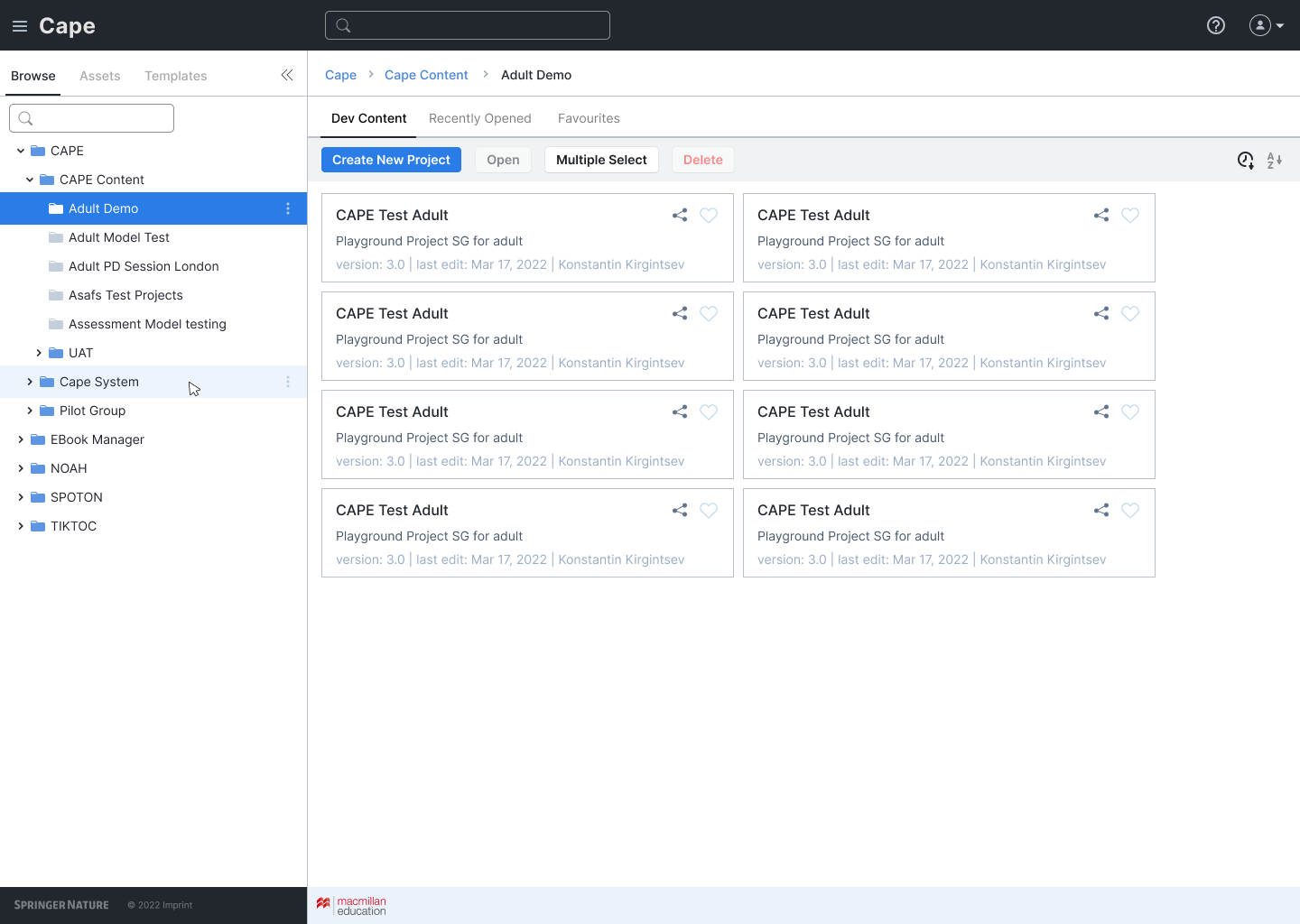
Simulation Software / SaaS
AnyLogic — a new web product for an engineering platform
View project on Behance−35%cognitive load
×2workflow speed
MVPproduct launch
About the product
AnyLogic is software for modelling business processes and complex systems, including manufacturing, logistics, transportation, and human operations. It allows teams to test different scenarios in a virtual environment and assess the consequences of decisions before implementing them in the real world. Its users include major international companies.
Moving to the web
Historically, models were created primarily in the desktop application. The team I joined was working to bring that experience to the web. It was important to preserve the capabilities of a professional engineering tool while reducing the complexity of user workflows. We also needed to address accumulated usability issues, many of which appeared repeatedly in support requests.
My role
I was the sole Product Designer on the team and owned the UX of the new web product. My task was to analyse and prioritise user problems, develop a new visual language for the interface, and create a design system. In parallel, I tested solutions with users and documented the findings to guide further improvements.
Scope of work
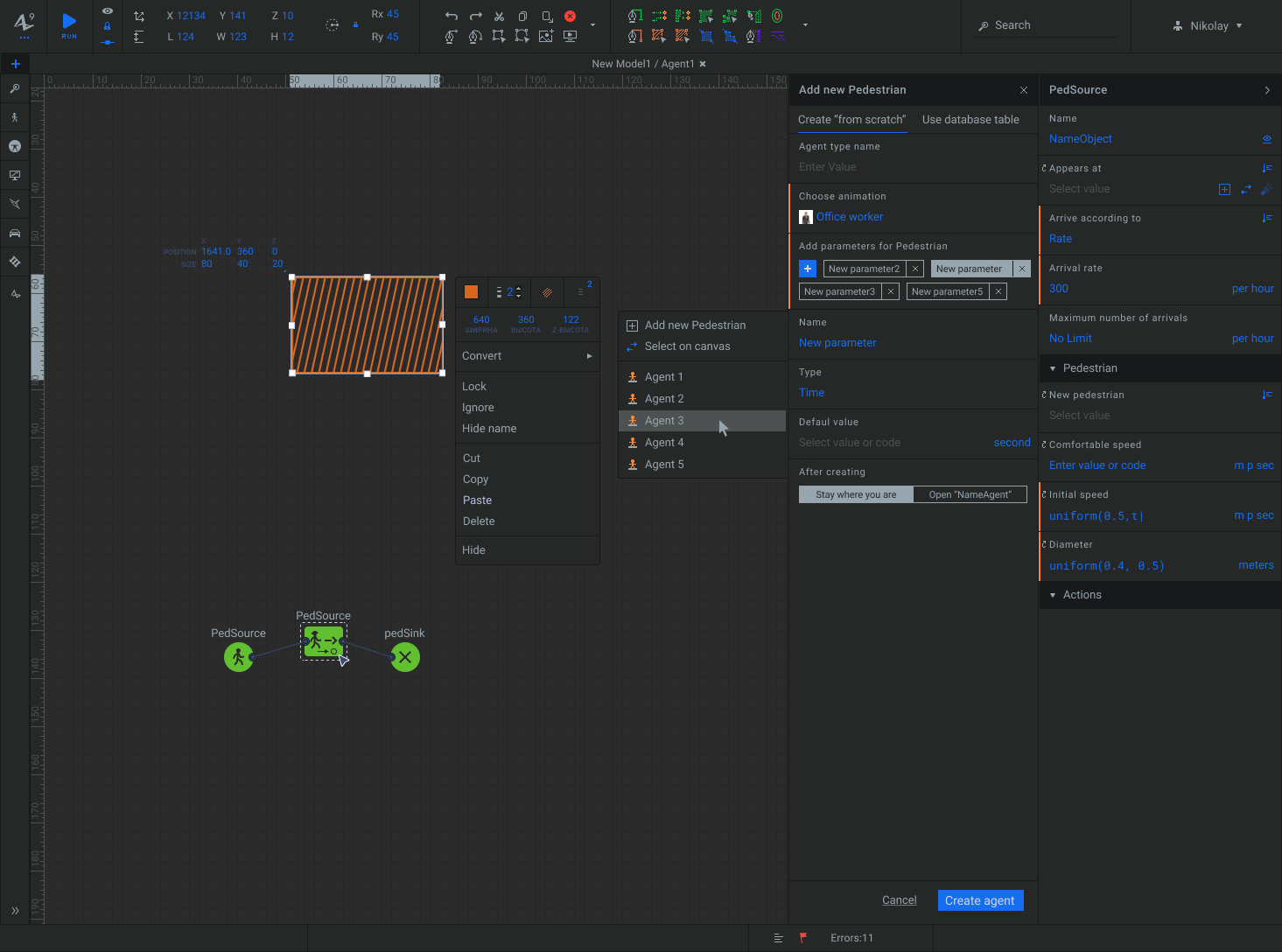
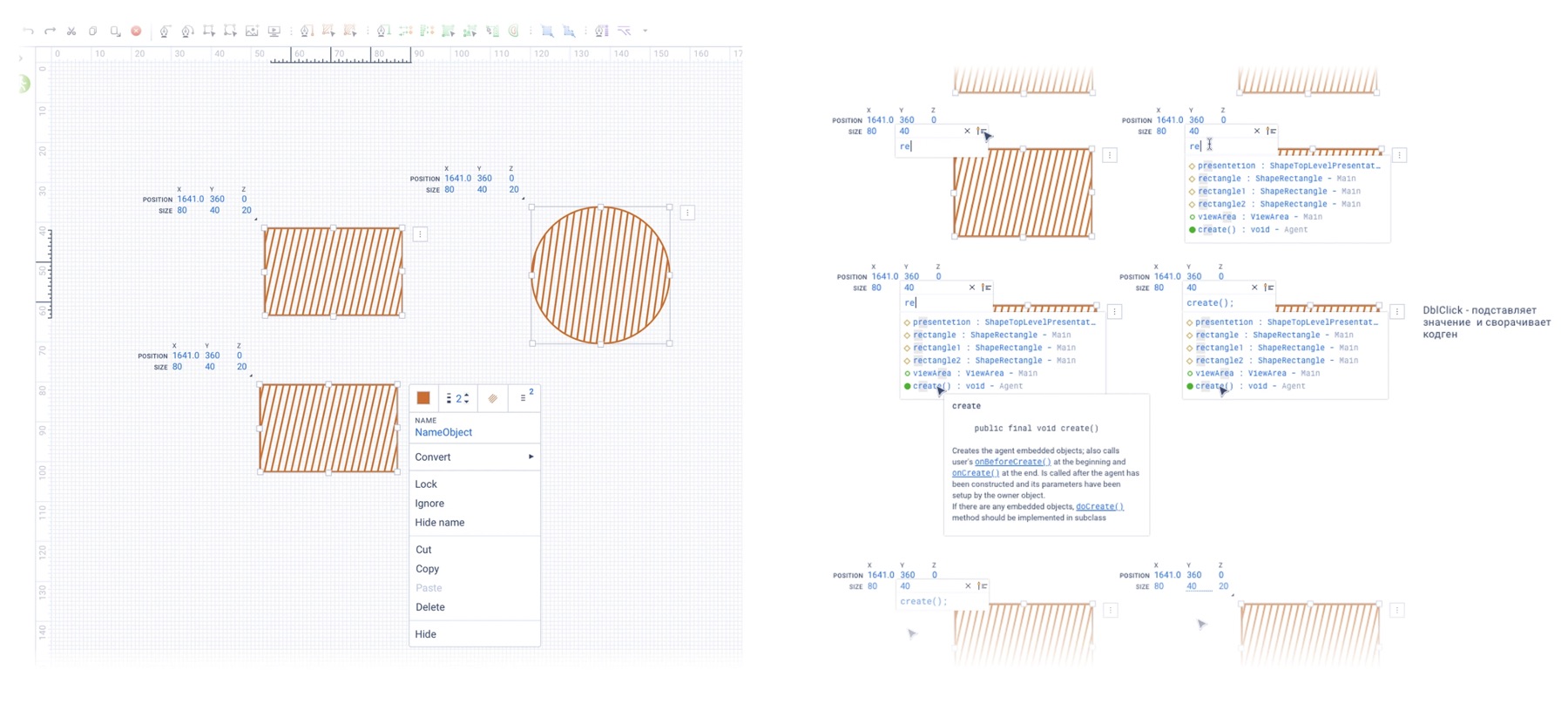
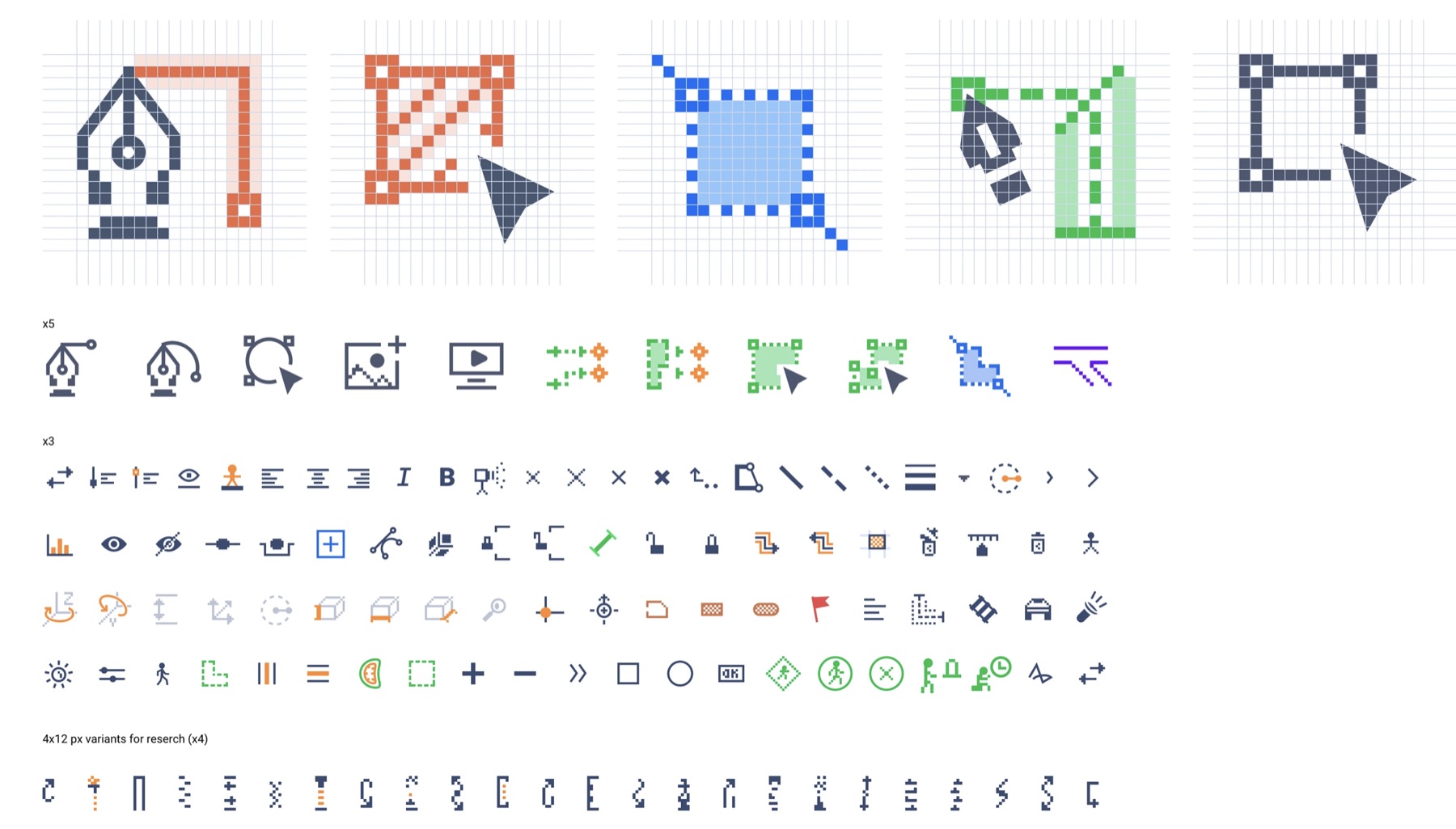
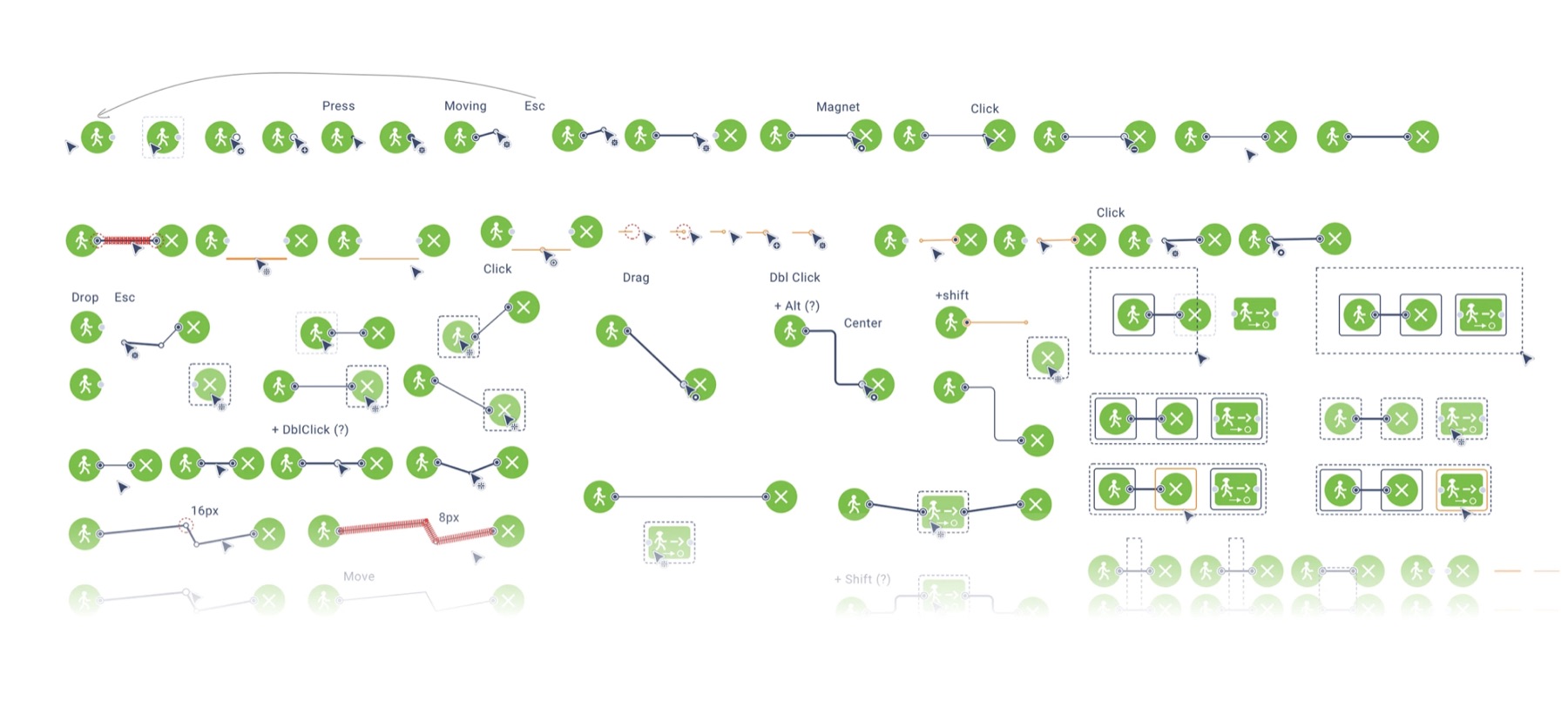
The work covered both the overall interface structure and individual tools: drawing Bézier curves, displaying connections between objects in the side panel and on the canvas, arranging libraries and their icons, and defining the behaviour of fields and forms. I also created and adapted icons, designed a new documentation website, and advised colleagues on interface decisions.
Research and collaboration
I analysed support requests, spoke with stakeholders, presented and defended decisions to Product Owners, and clarified technical possibilities with developers. Demos, reviews, and iterations were conducted with an international team. We tested the product with two groups: specialists who build models and users who work with completed models.
Testing solutions
We evaluated different tool layouts, including moving controls from the side panel to the top of the interface. Solutions that did not prove effective in testing were revised or rolled back. We simplified and automated model-building actions and improved the mechanics of drawing and connecting blocks on the canvas. To ensure consistent interface behaviour, I created a component library with multiple states.
Outcome
The team delivered a web-product MVP within a tight timeframe, and it became part of the AnyLogic Cloud product line. The primary success criterion was user independence: in testing, 9 out of 10 participants completed the assigned tasks in the new environment without errors. We also recorded a reduction in the number of intermediate actions required to create and edit models.
Primary challenge · Desktop → Web
Moving the modelling environment to the web
The primary challenge was migrating a professional modelling environment from a desktop application to the web. The new version preserves the capabilities of the engineering product while restructuring the workspace, navigation, and properties panel around modern web workflows.


Solution examples
Two case examples from a larger body of work
As part of the wider migration, I systematically redesigned individual tools and user workflows. The following are two examples of those sub-tasks.
Case 01
Simplifying object selection and creation
Challenge and research
I analysed the side-panel workflow for working with objects. In the original interface, users first selected an object type with radio buttons and then specified an individual object. Research showed that users more often selected objects directly on the canvas and used the list less frequently.
Solution
I replaced the radio buttons and separate selector with a single dropdown grouped by object type. Users can select an existing object, choose one on the canvas through Select on canvas, or create one through Draw new.
Implementation and validation
I reviewed the technical complexity with the team and presented the solution to stakeholders. After implementation, 9 out of 10 test participants completed the task without difficulty. I also regrouped parameters and standardised field styling and spacing.

Case 02
Selecting a distribution without a modal
Challenge and research
In the desktop version, the probability-distribution dialog obscured the canvas. Interviews showed that users rarely consulted distribution descriptions and infrequently changed the default parameter values.
Solution
I moved distribution selection and its parameters into an additional side-panel menu. The graph remains next to the selected distribution, while the detailed description is available through a help link.
Implementation and validation
The concept was agreed with developers and stakeholders and then reviewed with users. After implementation, test participants completed the distribution-selection workflow successfully, with no issues reported for the new interaction.

Business challenge
Build a web-product MVP without sacrificing the power of a professional engineering tool.
Outcome
- Designed the new product MVP.
- The solution became part of the AnyLogic Cloud product line.
- Complex workflows gained a clearer web structure.
My contribution
- Sole Product Designer.
- UX for a complex engineering platform.
- Demos, feedback, and iterations with an international team.
Web product concepts
Web product · MVP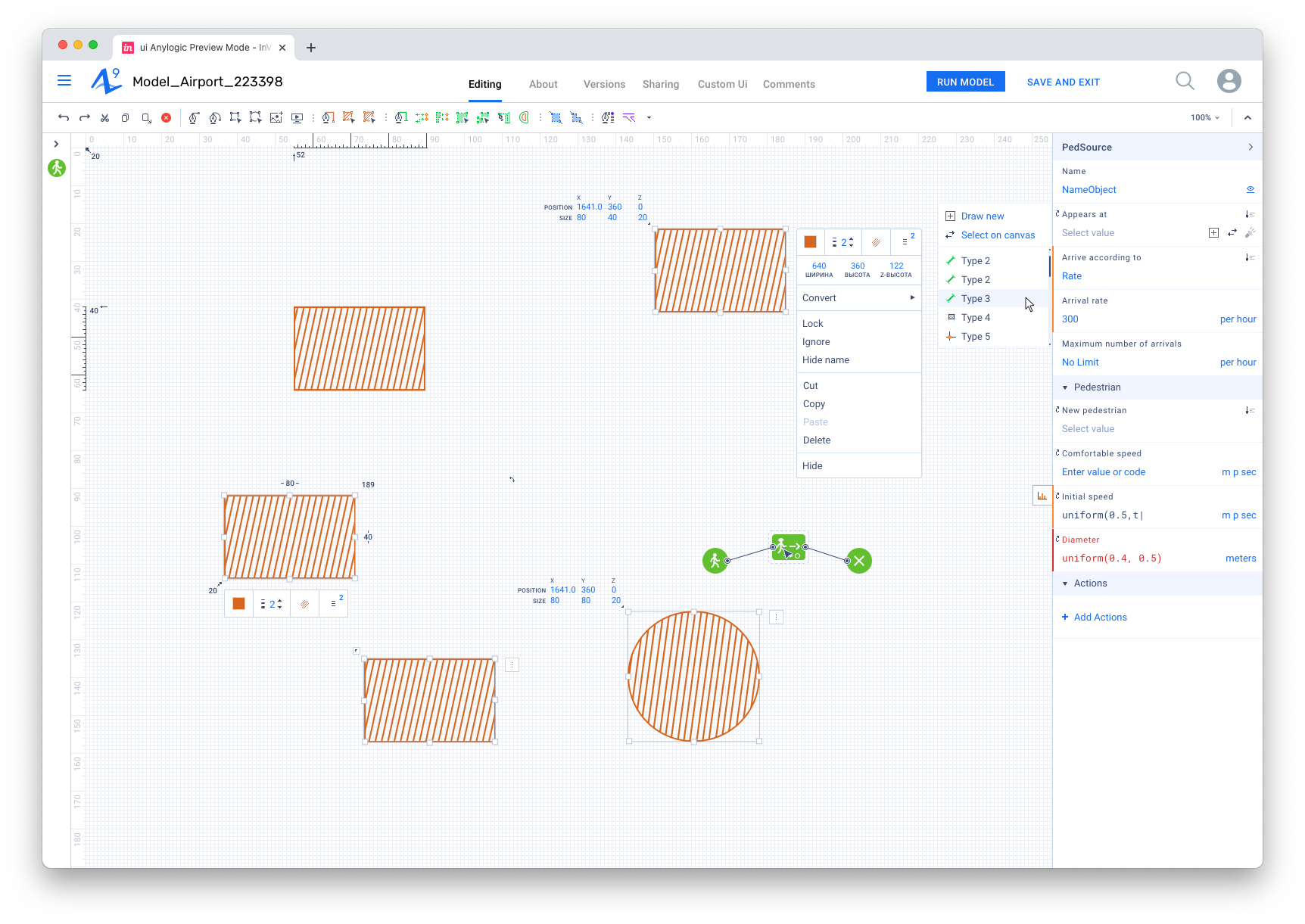
Education / Mentoring
ITMO University — master’s thesis mentor
I helped students turn research, prototypes, and interfaces into mature product cases.
2023–2025period
25+theses
100%product focus
Context
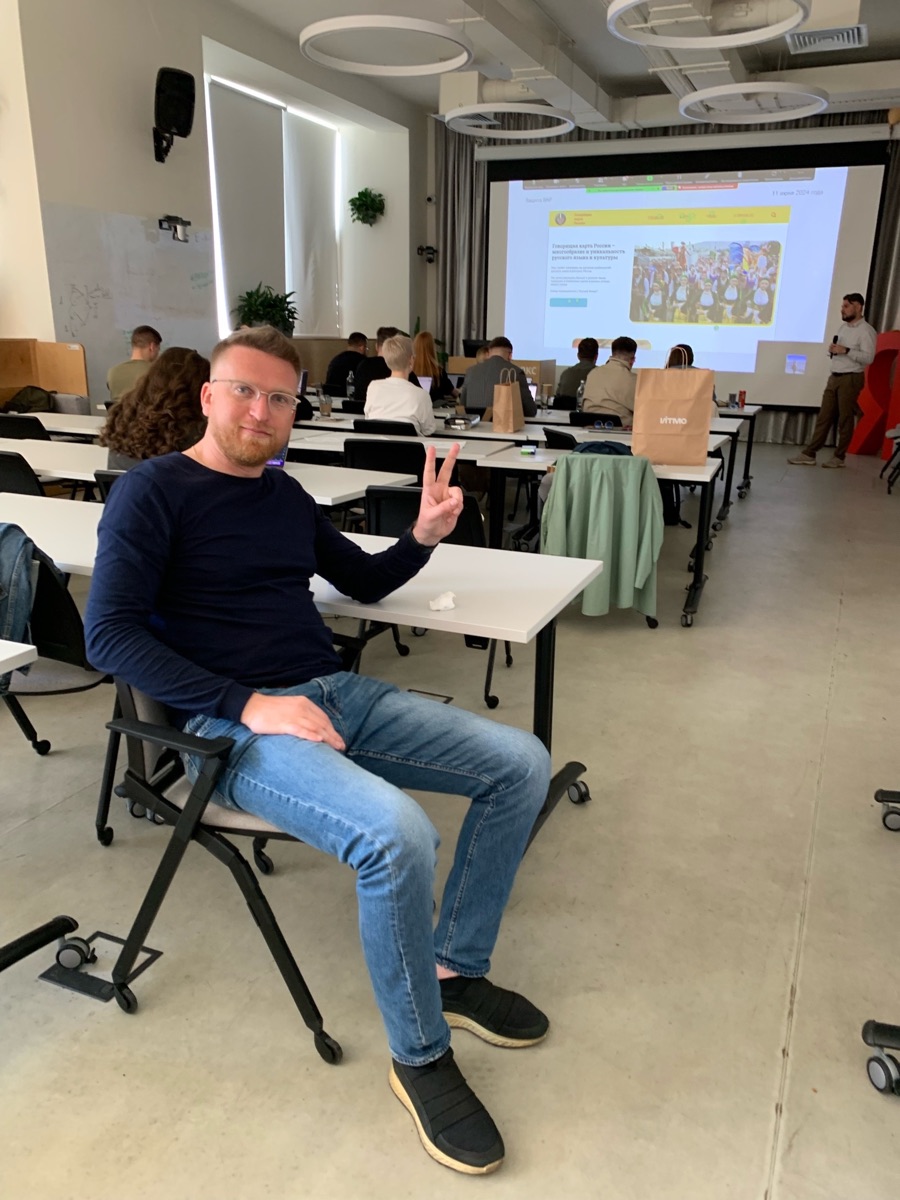
At ITMO, I worked with master’s thesis projects at the intersection of research, design, and product reasoning. Students often needed to go beyond drawing an interface and explain what problem it solved and why the chosen approach made sense.
My work
I helped frame problems, test hypotheses, structure the case, review prototypes, workflows, and the final presentation. In consultations, we focused on the connection between research, UX decisions, and the defence narrative, and also evaluated the final result of the work.
Outcome
My contribution was to bring student projects closer to real product practice: clear context, user logic, reasoned decisions, and a coherent story for the final defence.
Challenge
Develop students’ product thinking, from problem framing and research to a well-supported solution.
Outcome
- Mentored master’s thesis projects.
- Strengthened students’ product thinking.
- Prepared students to defend and present their solutions.
My contribution
- Guided UX/UI and product logic.
- Reviewed research, workflows, and prototypes.
- Evaluated the final result of the work.
- Provided mentoring and case-study feedback.
Logistics / CRM / Presale
Gazprom Neft — G‑Manager and a transport logistics ecosystem
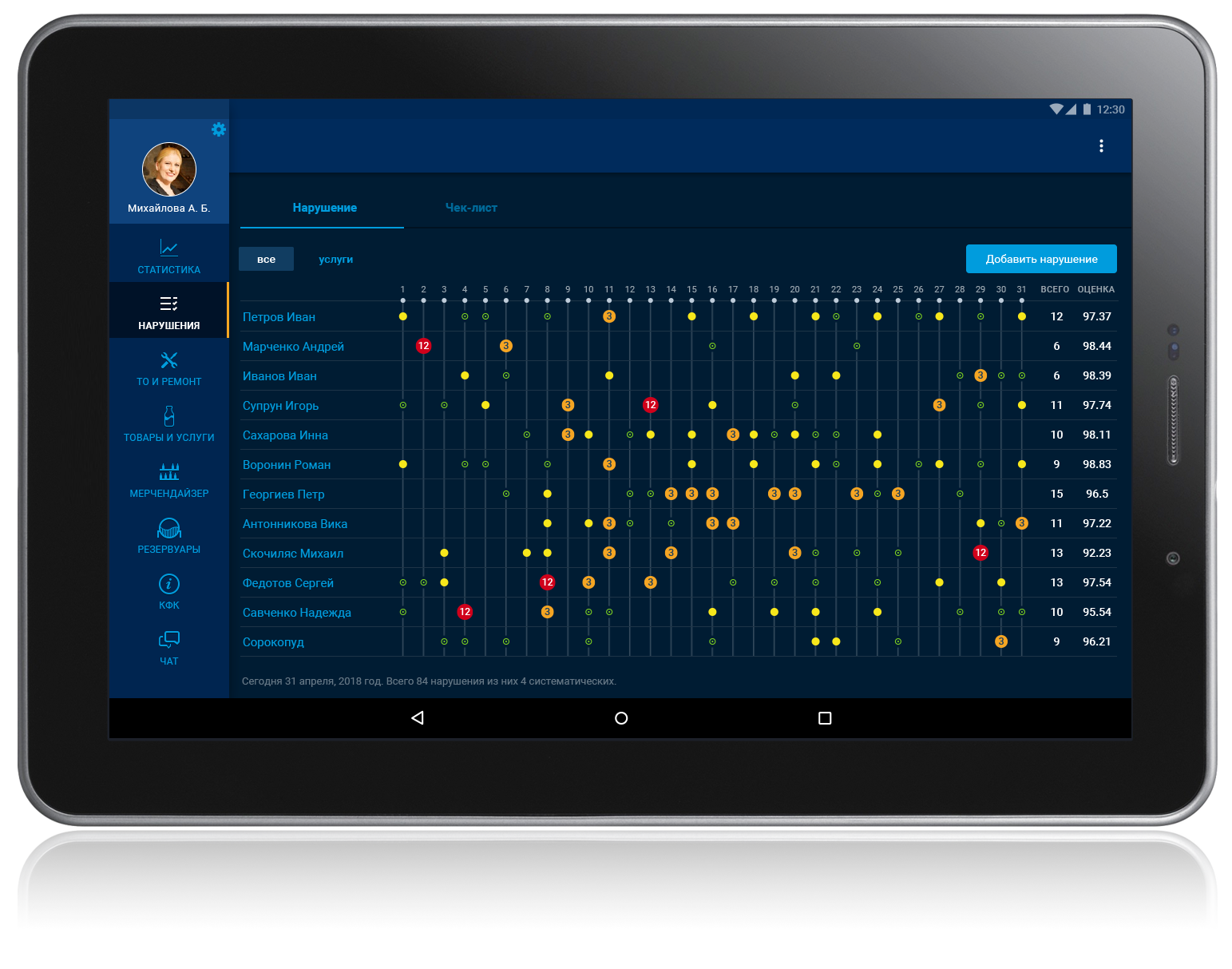
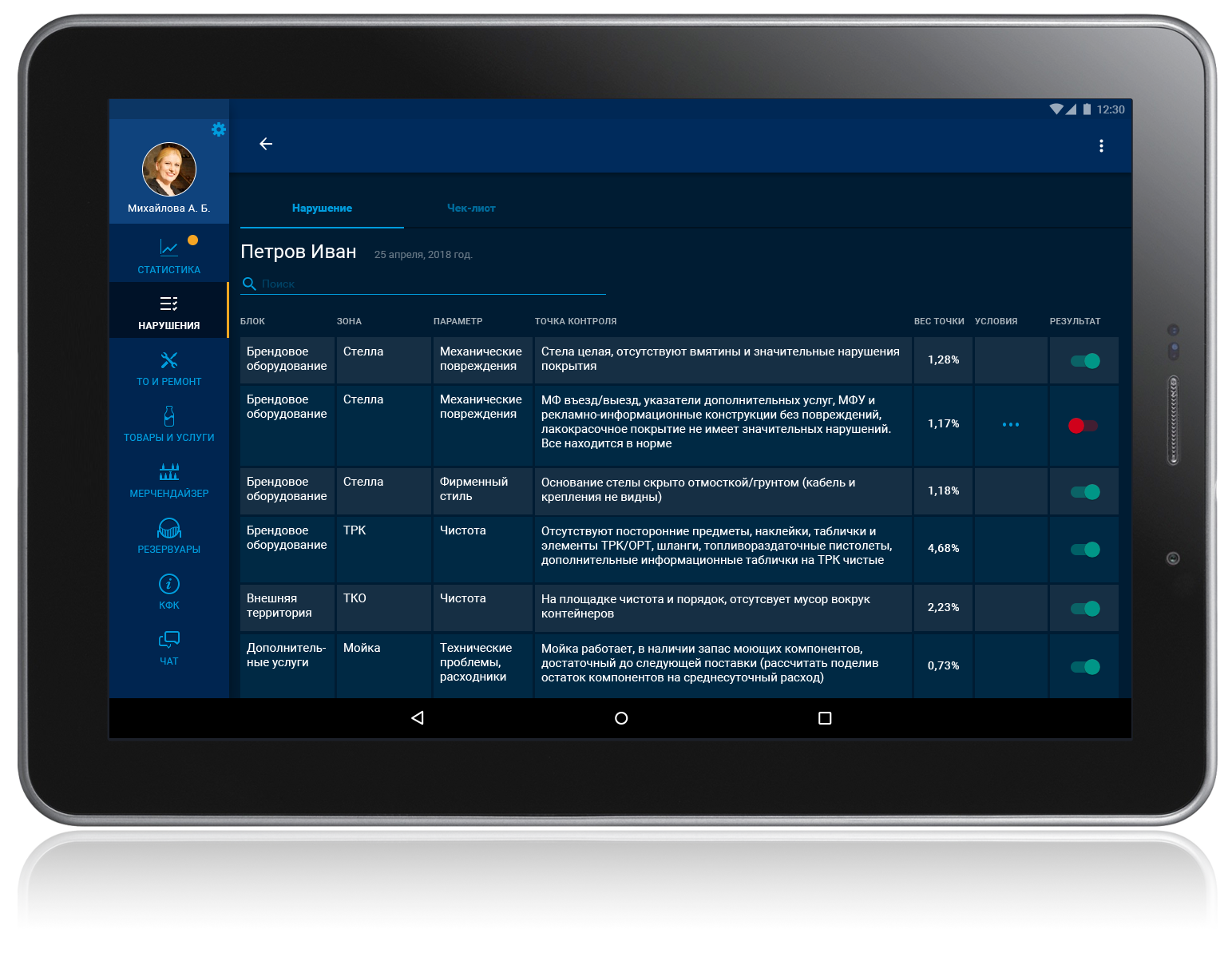
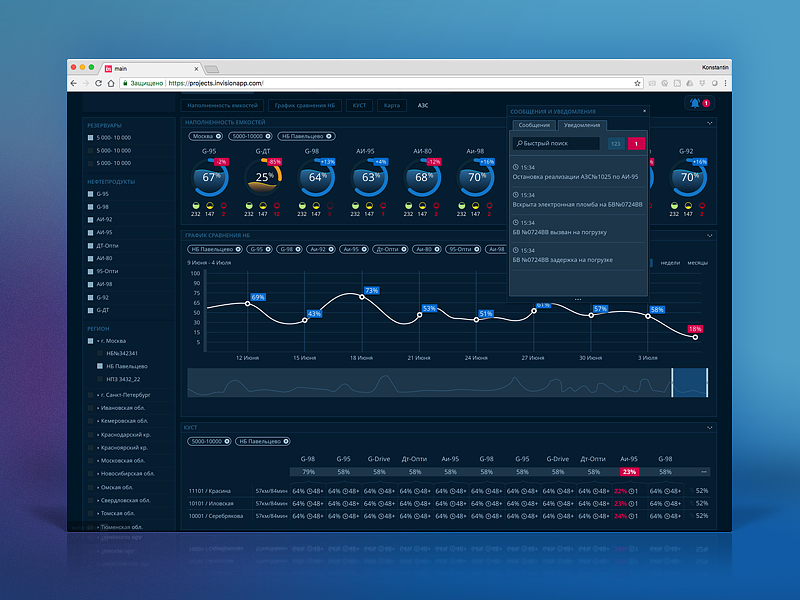
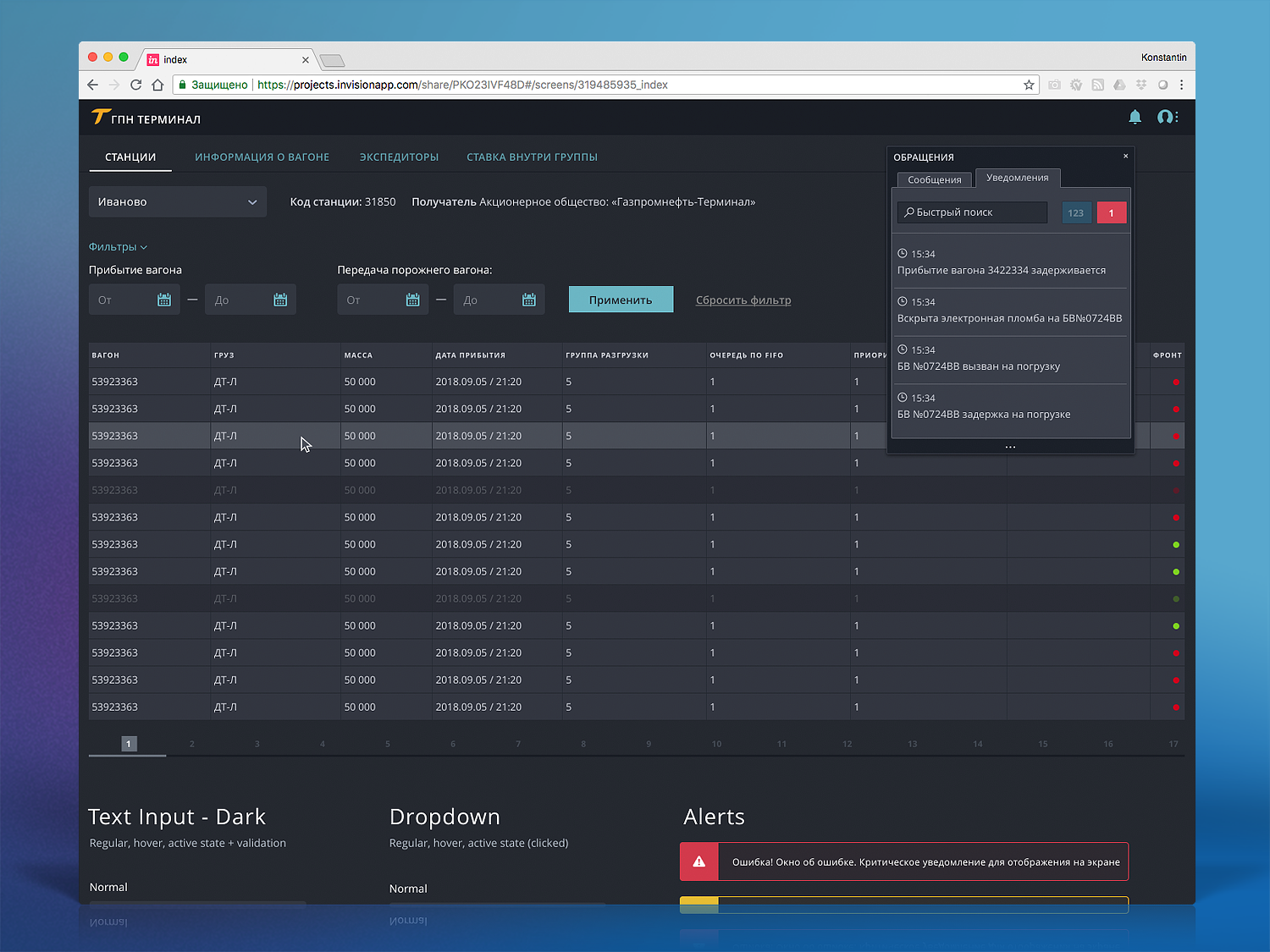
Operational products for a filling-station network and fuel logistics: mobile CRM, compliance monitoring, BI, and presales for a new business line.
₽60Mmonthly contract
×5control speed
−40%manual work
Context
At Gazprom Neft, the work centered on operational efficiency: mobile CRM for gas stations, violation control, logistics BI, and presale for a new product direction for a major enterprise client.
My work
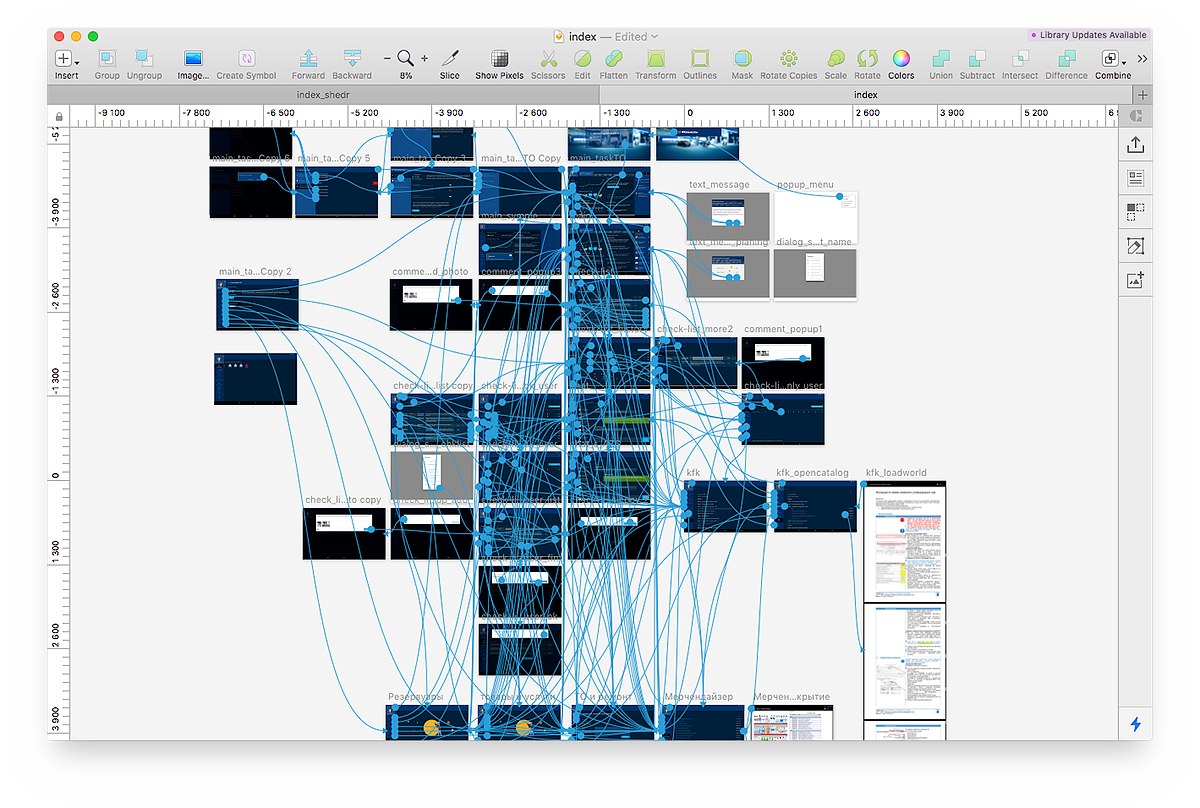
I analysed processes, ran interviews and field research, collected user workflows, designed interactive concepts, and helped package the product idea so it could be discussed with business stakeholders and sold as a direction.
Decisions and impact
The work focused on reducing manual control and turning complex logistics into a clear decision interface. The concept helped shape a commercial offer, became the basis for a major contract, and received the internal NIKA award.
Business challenge
Show how a digital product could reduce manual oversight and open a new logistics line of business.
Outcome
- The concept became the foundation of a contract worth about ₽60 million per month.
- The product narrative helped sell the new service to a major enterprise client.
- The project received the corporate NIKA Award.
My contribution
- Field research, interviews, and process analysis.
- Interactive concepts for presales.
- Mentored a designer at the start of the project.
Interfaces and concepts
CRM · Logistics · Prototypes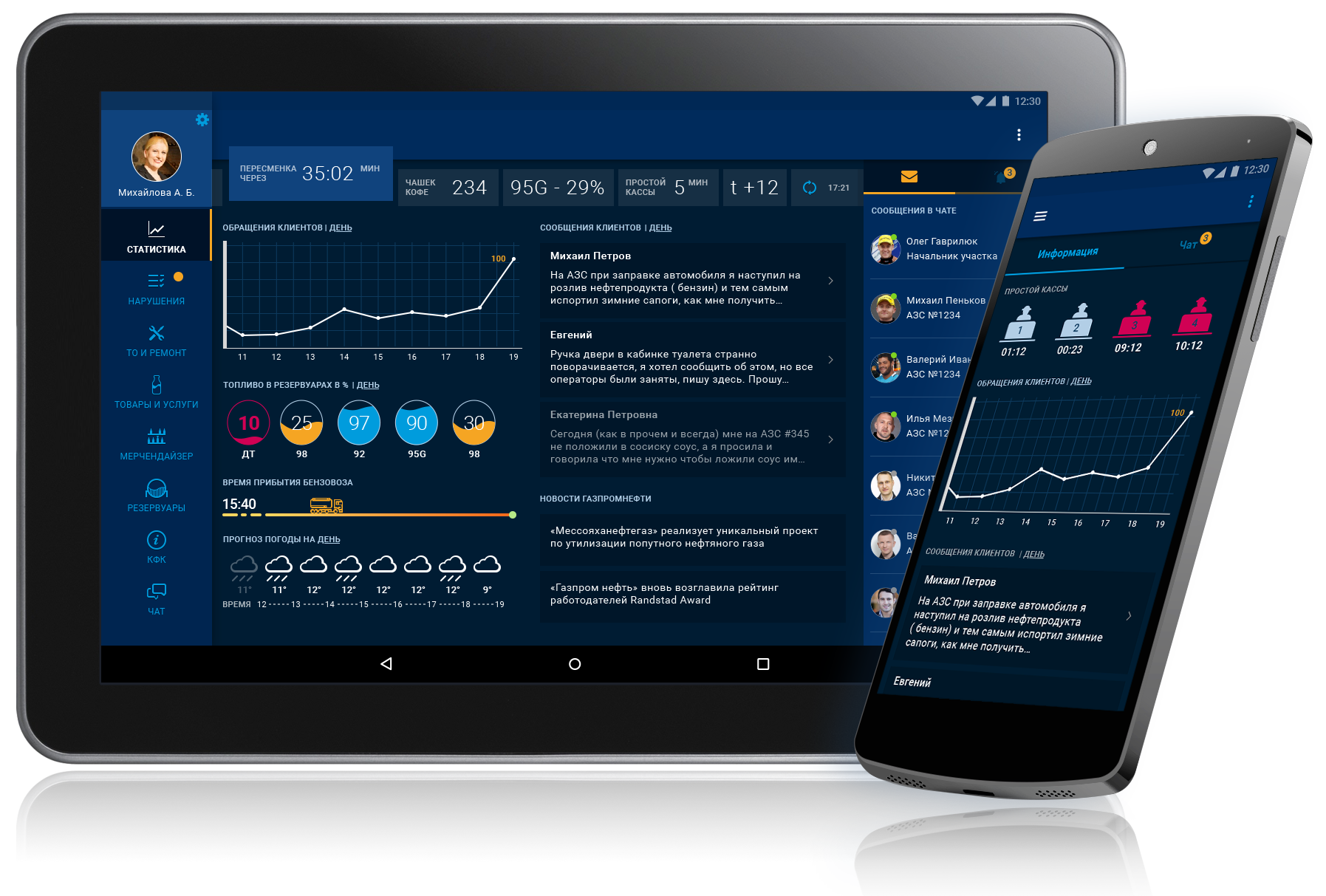
Recognition
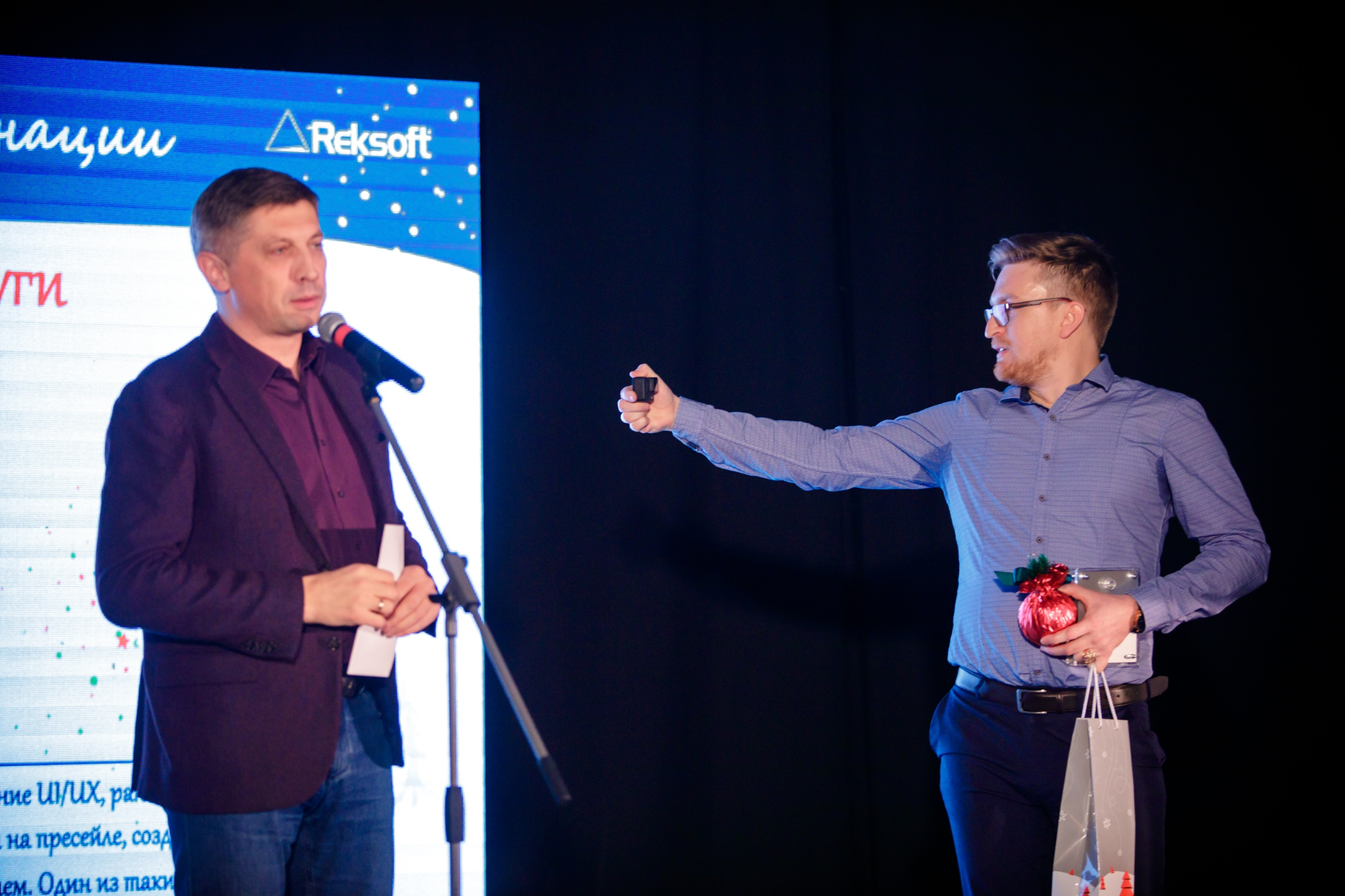
NIKA Award for contribution to business growth
Reksoft’s Special Merit Award, received after bringing in a new line of work for Gazpromneft Transport & Logistics.
A rare case where a UX concept was directly tied to a new contract and a measurable business outcome.

About
Why companies trust me with complex products
I get up to speed quickly
Mining, logistics, banking, EdTech, and simulation software.
I speak both business and engineering
My technical background helps me understand constraints and advocate for design decisions.
I work as a lead
I have built design teams, hired designers, and mentored professionals.
I accelerate work with AI tools
I use ChatGPT, Codex, and Cursor for research, hypotheses, and rapid product iterations.
Contact
Open to discussing product roles in Enterprise, B2B, or industrial automation.
Konstantin Kirgintsev
Remote work, hybrid, relocation
+7 981 978-85-48 kirgintcev@gmail.com Telegram: @kirgincev